Ans. Expensify, Zoho Expense, Ramp, Pleo, Payhawk, and Coupa are some of the best expense management platforms known for streamlining business transactions and automating invoice capture and processing.
Top 10 Best Expense Management Software Solutions in 2026
POST BY
PUBLISHED
October 27, 2026
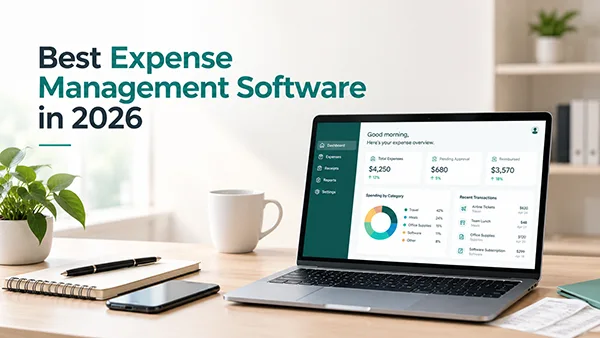
Top expense management software solutions include Payhawk, Pleo, Zoho Expense, Expensify, Coupa, and Navan. Expense management software helps businesses track expenses, automate expense reporting, manage reimbursement, and monitor spending in a centralised dashboard. It significantly reduces manual errors, improves financial visibility, and controls costs.
According to EY’s 2024 Ireland CFO Survey, 47% of respondents identified the finance function as an area where time is used least efficiently. This highlights the urgent need for organizations to automate their repetitive tasks by using expense management software. Follow the article to learn about what expense management software is, its functions, top 10 software, key features, pros, cons, and how to choose one.
| At-A-Glance View and Comparison of the Best Expense Software | |||
|---|---|---|---|
| Spend Management Software | Starting Price | Free Trial | Currencies Supported |
| Payhawk | $15/user/month | Yes | 115 |
| Expensify | $5/user/month | Yes | 159 |
| Zoho Expense | $3/user/month | Yes | 180 |
| Coupa | $549/year | Yes | 140+ |
| Ramp | $15/user/month | Yes | 40 |
| Navan | Custom Quote | Yes | 25+ |
| Pleo | $10/user/month | Yes | 6 |
| Sage | $11.99/month | Yes | 190 |
| Rydoo | $10/user/month | Yes | No fixed number |
| SAP Concur | Custom Quote | Yes (15 Days) | 50 |
Table of Contents:
- What Is Expense Management Software? Why Is It Essential?
- Top 5 Expense Management Software You Must Use To Track Expenses
- Extended List of 5 Spend Management Software That You Must Consider
- What are the Must-Have Features in Spend Management Software?
- Final Thoughts
- Frequently Asked Questions (FAQs)
What Is Expense Management Software? Why Is It Essential?
Expense management software is a digital tool that helps businesses track, monitor, control, and report employees’ and organizational expenses. It automates financial processes, simplifies reimbursement, and ensures that spending aligns with company budgets and policies.
Here’s what expense software does:
- Track business transactions in a centralised platform.
- Automate expense reporting
- Manage reimbursement
- Set spending limits and flag non-compliant claims and out-of-policy spending.
- Monitor budget by identifying potential overspending.
- Financial reports give insights into spending patterns, expenses, and cost-saving opportunities.
- Detect errors and fraud.
- Integrate financial systems
Why Do You Need Expense Management Software?
Here’s why you need expense software:
1. Strong Compliance and Policy Reinforcement: A robust expense management software allows businesses to set pre-defined spending limits, automate approval workflows, and flag out-of-policy transactions. This ensures adherence to guidelines and a reliable view of expenses before reimbursement.
2. Improve Accuracy and Reduce Expense Fraud: Duplicate claim detection, receipt matching, and digital audit trails help businesses identify errors and suspicious reimbursement requests.
According to ACFE’s Occupational Fraud Report, 2024, reimbursement schemes accounted for 13% of occupational fraud cases, demonstrating the financial risk of fraudulent claims, which expense reporting software significantly reduces.
3. Better Employee Experience and Faster Reimbursement: By enabling employees to submit receipts digitally, track approval status, and receive reimbursements, it builds transparent workflow management that reduces frustration and helps financial teams resolve pending claims quickly.
4. Real-Time Visibility and Reporting: Expense management platforms provide businesses with a centralised dashboard and reporting systems that track spending patterns and pending reimbursements. It enables finance teams to flag budget overruns and unusual spending patterns, helping them make financially sound decisions.
5. Reduce Administrative and Paperwork: By automating receipt capture, report generation, and approvals, it reduces the time spent on repetitive tasks. Instead of manually entering transaction details, it enables financial teams to focus on other high-priority tasks.
Top 5 Expense Management Software You Must Use To Track Expenses
Payhawk, Expensify, Zoho Expense, Pleo, Rydoo, Sage Expense (formerly Fyle), Ramp, Coupa, and more are some of the top 5 best expense management software, known for streamlining business transactions and automating invoice capture and processing.
Here’s what you need to know:
1. Payhawk
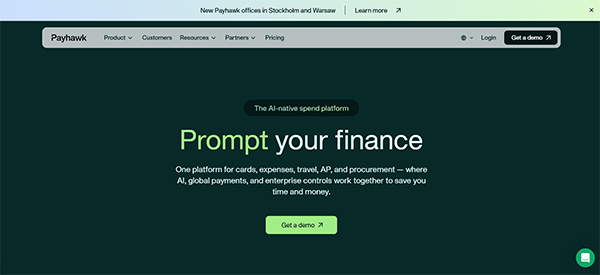
Payhawk tops the list of best expense management software, known for its automated invoice processing and capture using OCR technology, which not only improves accuracy but also makes the process accountable and reliable. The best feature is that it allows customizable approval workflows to determine spending limits and hierarchy, ensuring that expenses are properly reviewed and authorized before spending.
Key Features:
- Ensures regulatory compliance and protection of financial data.
- Real-time currency exchange
- Timely reminders and alerts for pending submissions and approvals.
- Virtual and physical corporate cards for controlling and tracking expenditure.
| Pricing Details | Custom Quote |
| Pros | Cons |
|
|
2. Expensify
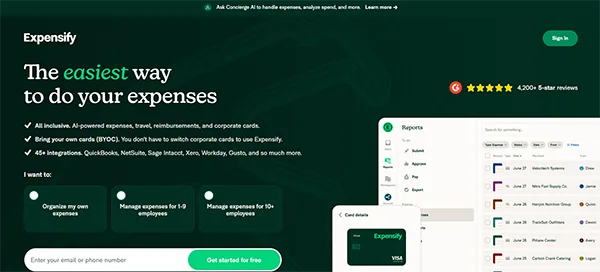
Considered an all-rounder, Expensify is one of the best expense management software options, featuring AI-powered expenses, global reimbursements, expense reports, and more. The best feature of this platform is its SmartScan, which automatically records all the necessary details from the receipt. It offers 45+ integrations, including NetSuite, Workday, etc.
Key Features:
- In-app travel booking and issues unlimited virtual cards for employees and vendors.
- Offers a mobile app with GPS mileage tracking, calculating car travel based on the IRS.
- Multi-level approvals for large transactions and automated payments for smaller ones.
- Checks expenses against company policies, flags violations, and blocks non-compliant spending.
| Pricing Details |
|
| Pros | Cons |
|
|
3. Zoho Expense
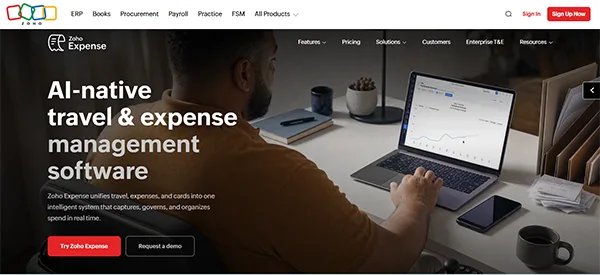
Zoho, known for business automation, features Zoho Expense software, which provides real-time visibility into business spend and works with major accounting and ERP platforms such as QuickBooks, Zoho Books, and more. The best feature of this platform is that it connects with your existing cards, allows UPI-enabled prepaid cards, offers built-in spend controls, and provides complete spend visibility.
Key Features:
- Offers AI receipt capture in 38+ languages, live budget, and petty cash management.
- Features a mobile app with mileage tracker and country-specific per diem for global teams.
- Robust expense report creation, management, and automation.
- Helps create multiple policies, customise rules, configure mileage rates, and detect duplicates automatically.
| Pricing Details |
|
| Pros | Cons |
|
|
4. Coupa
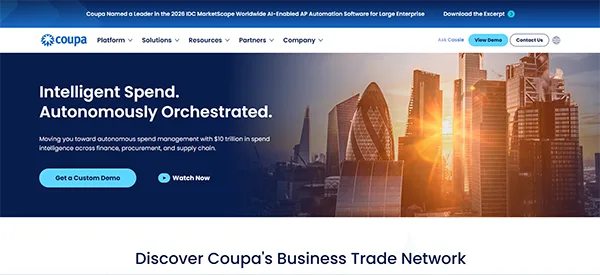
Coupa is one of the best cloud-based spend management software known for its centralised dashboard showcasing spending across suppliers, categories, and business units. The best feature of this platform is that it offers a network of 10M+ buyers and suppliers and built-in e-invoicing compliance in 50+ countries. It’s one of the best scalable solutions for global companies.
Key Features:
- Offers a Coupa supplier portal, which allows vendors to self-register and update invoices.
- Supports global payments in a unified platform.
- Real-time dashboards and predictive analysis.
- Tracks purchase orders and maintains clear audit trails.
| Pricing Details | Starts at $549/year Free Tier is also available |
| Pros | Cons |
|
|
5. Ramp
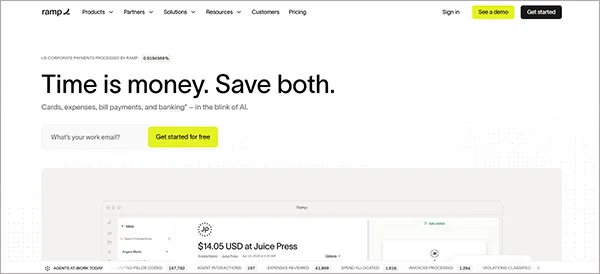
Best suited for founders, finance teams, and startups, Ramp is next on the list of best expense management software. It streamlines money movement, manages accounting tasks, payroll, and financial operations. Ramp’s standout feature is AI-powered insight into where to reduce spending and renegotiate contracts.
Key Features:
- Vendor database, track contacts, handle purchase orders, and robust spend analytics to spot negotiation opportunities.
- Reduces manual expense reporting. Employees can text or email their invoices, which are automatically matched to transactions.
- Allows setting purchase limits and blocks out-of-limit spending.
- Integrated corporate cards with spend limits.
| Pricing Details | Starts at $15/user/month Free Tier is also available |
| Pros | Cons |
|
|
Extended List of 5 Spend Management Software That You Must Consider
Here’s an extended list of 5 best expense management software:
| S No. | Expense Software | Key Features | Price Details |
| 1. | Navan |
| Custom Quote A free version is available. |
| 2. | Pleo |
| Starts at $10/user/month |
| 3. | Sage Expense Management (Formerly Fyle) |
| Starts at $11.99/month |
| 4. | Rydoo |
| Starts at $10 per user/month |
| 5. | SAP Concur |
| Request a Custom Quote |
What are the Must-Have Features in Spend Management Software?
Smart integrations, real-time reporting and analytics, corporate cards and bank integrations, OCR receipt scanning, and policy compliance are the non-negotiable features in expense management software.
Here’s what you need to know about features of expense reporting software:
- Integration with Existing Systems: A reliable spend management software must integrate with existing accounting and ERP systems, such as NetSuite, QuickBooks, Xero, and more. It syncs expenses and provides real-time insights into the company’s spending.
- Real-Time Reporting and Analytics: A centralised dashboard that offers visibility into real-time spending patterns, budget utilization, and outstanding reimbursements helps finance teams monitor expenses and make informed decisions. It’s a non-negotiable feature, and common examples include Coupa, Expensify, and Payhawk.
- Corporate Card and Bank Integration: For seamless transactions, spend management software must be able to connect corporate cards, bank accounts, and accounting platforms to import transactions automatically. SAP Concur, Zoho Expense, and Payhawk have the best corporate card and bank integrations.
- Receipt Scanning and OCR: OCR is optical character recognition, which extracts necessary details, such as transaction date, merchant name, and amount from receipt images, making the submission faster and reducing the need for manual entry. Expensify and Ramp are the top choices for receipt scanning and OCR.
- Policy Compliance and Rule Enforcement: It must allow businesses to set spending limits, define eligible expense criteria, and flag transactions that violate the predetermined rules. It helps maintain consistent spending controls. SAP Concur and Ramp are best for policy compliance.
Also Read: Resource Management Software: 10 Best Tools Compared for 2026
Final Thoughts
To sum up, Expensify, Zoho Expense, Coupa, and more are some of the best expense management software solutions, ideal for tracking business spending, reporting, and reimbursement.
Although the right choice depends on your business size, objectives, and requirements, it is important to check certain must-have features, such as OCR and AI-powered receipt capturing, corporate cards, approval workflows, accounting integration, and mileage tracking.
Frequently Asked Questions (FAQs)
Q1. What is the best software for expense management?
Q2. What is expense management software?
Ans. Expense management software is a tool that helps businesses track expenses, automate expense reporting, manage reimbursement, and monitor spending in a centralised dashboard
Q3. What are the factors an expense reporting software must have?
Ans. Smart integrations, real-time reporting and analytics, corporate cards and bank integrations, OCR receipt scanning, and policy compliance are the non-negotiable features in expense management software.
Q4. What are the benefits of spend management software?
Ans. Expense management software helps businesses automate expense tracking, improves accuracy, reduces expense fraud, offers a better employee experience, speeds reimbursement, provides real-time visibility and reporting, ensures strong compliance, and reduces administrative work and paperwork.
Sources: