Project budgeting software helps teams plan and control expenditure during delivery. Accounting software maintains financial records and supports bookkeeping and statutory reporting. Some products cover parts of both areas. Compare the specific workflows, particularly commitments and forecasts, rather than relying on the product category.
Best Project Budget Management Tools for Construction
POST BY
PUBLISHED
October 16, 2026
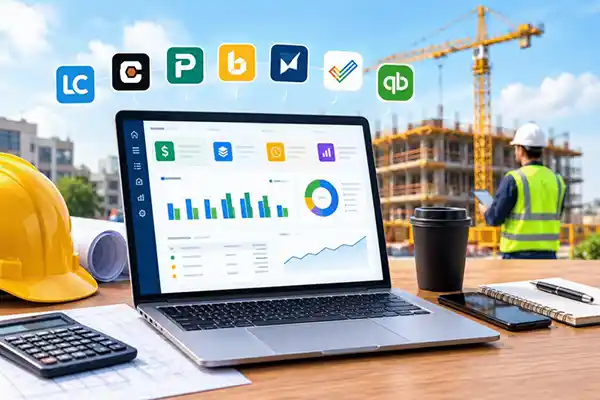
Just one unexpected cost, one late invoice, or a couple of weeks of increasing labor costs can ruin the profitability of any construction project.
The real issue is that by the time you realize that you are overspending, your profit margin might be affected. And this is when you need proper project budget management software to track your spending, see your outstanding bills, and estimate future costs.
With so many different solutions out there, it’s hard to choose the one that suits your business.
This guide compares seven tools to help you find the right fit for your projects, workflows, and budget.
Table of Contents:
Project Budget Management Tools Compared
Each description of suitability below is based on the main purpose of the respective tool. Confirm the required features, integrations, and subscription details before purchasing.
| Tool | Suitable for | Budget control focus |
| LiveCosts | SME or main contractors on Xero, QuickBooks, or Sage | Package budgets, commitments, forecasting and commercial workflows |
| Procore | Contractors seeking connected construction management | Construction budgets, contracts, variations and forecasts |
| Planyard | Construction teams replacing financial spreadsheets | Budget items, purchasing and profitability forecasts |
| Buildxact | Builders connecting estimates with job delivery | Estimated versus actual costs and purchasing |
| Smartsheet | Teams building custom budget workflows | Configurable sheets, reports and dashboards |
| Zoho Projects | Teams combining tasks, timesheets and budgets | Planned versus actual costs and time budgets |
| QuickBooks Online | Businesses prioritising accounting and project profitability | Project income, expenses and profit |
Pricing structures vary. Compare the complete cost of the configuration your team needs, including onboarding and additional products.
1. LiveCosts
LiveCosts helps small and medium contractors manage project budgets, purchasing and commercial workflows. It allows linking project costs with finance reports to help teams control expenses and project profitability.
| Decision point | Details |
| Key features |
|
| Accounting integrations | Connects with Xero, Sage and QuickBooks. |
| Pricing | Request pricing based on your requirements. |
| Suitable for | SME Contractors replacing budget spreadsheets with connected financial workflows with commercial reporting. |
| Buying considerations | Review how your package budgets, approval responsibilities, and valuation processes will work in the system. Include your accounting integration in the demonstration. |
LiveCosts focuses on construction job costing and financial control. Contractors should assess scheduling and drawing management requirements separately.
2. Procore
Procore integrates construction financial management along with other construction management functions. Its budget tools bring contract values, variations, and cost forecasts together.
| Decision point | Details |
| Key features |
|
| Pricing | Custom quote. Confirm the products and services included. |
| Suitable for | Contractors seeking financial controls within a broader construction management platform. |
| Buying considerations | Check which products cover your requirements, who maintains forecasts, and how changes from the site reach the budget. Include implementation and integration costs in the comparison. |
Ask Procore to demonstrate a budget revision and its effect on the forecast. This will help your team assess the daily workflow.
3. Planyard
Planyard focuses on construction budget control, purchasing, and financial reporting. It provides an organized process to handle budget components and check the profitability of the projects.
| Decision point | Details |
| Key features |
|
| Pricing | Published plans. Check the features included in each package. |
| Suitable for | Construction teams who want budgeting on top of accounting |
| Buying considerations | Test your budget structure, variation process, and forecast updates. Confirm which plan covers the purchasing and subcontract workflows you need. |
Use a project with several work packages during the demonstration. Review how the system shows changes in expected costs and margin.
4. Buildxact
Buildxact links construction estimation to project management. Builders can compare actual spending against the original estimate as work progresses.
| Decision point | Details |
| Key features |
|
| Pricing | Published UK subscription plans. Feature access depends on the selected plan. |
| Suitable for | Builders that want to connect estimating, purchasing and job cost tracking. |
| Buying considerations | Follow an estimate through ordering and actual costing. Check whether reports provide the package detail and forecast information your commercial team needs. |
The main evaluation point is how effectively the original estimate supports budget control once construction starts.
5. Smartsheet
Smartsheet lets teams create configurable budget sheets, reports and dashboards. It includes a Resource Management software component, offering budgeting according to time, money, and costs.
| Decision point | Details |
| Key features |
|
| Pricing | Subscription plans, with additional products affecting the total cost. |
| Suitable for | Teams that want flexible budget workflows and have someone responsible for maintaining the setup. |
| Buying considerations | Establish how commitments, invoices and budget changes will enter the system. Include configuration, maintenance and additional products when comparing costs. |
Ask the provider to demonstrate the proposed construction workflow. A sample dashboard alone will not show how reliably the underlying figures stay current.
6. Zoho Projects
Zoho Projects integrates task management, time tracking, and project budgeting. Teams can compare planned and actual costs while managing project activity.
| Decision point | Details |
| Key features |
|
| Pricing | Subscription tiers. Project budgeting requires an appropriate paid plan. |
| Suitable for | Teams seeking task management and time-based budget monitoring in one platform. |
| Buying considerations | Check how the proposed setup handles materials, plant, purchasing commitments, and subcontract costs. Confirm the construction workflows that require configuration or another product. |
Use your own cost categories when testing the software. This makes it easier to judge whether the reports reflect how your business manages construction expenditure.
7. QuickBooks Online
QuickBooks Online provides project cost and profitability tracking within an accounting system. UK Projects capability is offered via the Plus and Advanced plans.
| Decision point | Details |
| Key features |
|
| Pricing | UK Plus and Advanced subscriptions. Check current prices and additional service costs. |
| Suitable for | Businesses that prioritise accounting and want to monitor profitability by project. |
| Buying considerations | Demonstrate package budgets, outstanding purchasing commitments and cost to complete forecasts. Establish whether your requirements need a connected construction application. |
Evaluate QuickBooks against the financial decisions you need to make during delivery. Project profitability reporting and detailed construction budget control serve different purposes.
What to Look for in a Project Budget Management Tool
Budgets by Project and Cost Code
Select the software that represents your approach to construction management. You may need budgets by project, phase, package, or cost code.
For example, a groundworks package should show its own allowance and expenditure. That detail helps the team investigate a variance without working through every project transaction.
Actual and Committed Costs
Actual costs in isolation give an incomplete picture where orders still exist.
Check whether the software shows commitments separately and reduces the outstanding commitment as invoices arrive. This helps prevent double counting and gives managers a more useful remaining budget.
Purchase Orders and Invoice Approvals
Follow the complete purchasing process. The software should make it clear who requested the purchase, who approved it, and which budget carries the cost.
Look into how the team documents the delivery process, resolves discrepancies on invoices, and authorizes expenses for accounting.
Labour and Plant Costs
Accurate labour budgets depend on timely timesheets. Check how workers record their hours and how the software uses pay rates to calculate labour costs.
For plant, check how your team will record hire periods, usage, and additional charges. The reporting should make cost allocation clear.
Cost to Complete and Profit Forecasts
A remaining budget shows the allowance left. A cost to complete forecast estimates what the unfinished work will actually cost.
Find a straightforward way of adjusting this estimate and see how it influences forecast final cost and margin.
Reporting and Accounting Integrations
Check whether reports answer the questions directors, quantity surveyors and finance teams ask each month.
For integrations, establish which records transfer, when they transfer, and how the team resolves errors. Include subcontractor valuations and applications for payment in the review where those workflows matter.
How to Choose the Right Tool
Match the Tool to Your Construction Work
Start with the decisions your team struggles to make. A contractor managing several subcontract packages may need different controls from a small builder whose main priority is connecting estimates with purchases.
Note down your essential processes before comparing software. Include the people who enter costs and those who review reports.
Check Which Features the Price Includes
Compare equivalent configurations. A subscription that covers task management may need another plan or product for financial reporting.
Ask about implementation, data imports, training, integrations, and support. Confirm the cost of adding users or projects as the business grows.
Test a Project Budget During the Demo
Use a known project with a known budget, purchase orders, invoices, labor, and incomplete work.
Ask the provider to record a purchase, process an invoice, and revise the forecast. Then review the package variance, outstanding commitments, and expected margin.
Where relevant, include a subcontractor valuation and a client application for payment. A practical demonstration displays more than a standard feature presentation.
Conclusion
Choose a project budget management tool by following how costs move through your business. The software should help your team understand expenditure, outstanding commitments and the likely cost of completing the work.
LiveCosts concentrates on construction job costing, package budgets and commercial workflows. Other options focus on connected construction management, estimating, configurable reporting or accounting.
Before making the decision, test your project, starting from purchase order until invoice approval and forecast review. Compare the resulting financial picture, the work needed to maintain it, and the complete cost of the proposed setup.
Frequently Asked Questions
How Does Project Budgeting Software Differ from Accounting Software?
When Should Contractors Move from Spreadsheets to Software?
Consider a change when manual updates delay decisions, teams maintain conflicting versions, or costs repeatedly reach reports late. Consider switching when manual updates make it difficult to track purchases, invoices, and labour costs against project budgets.
How Do Purchase Orders Affect the Remaining Budget?
An approved purchase order creates a commitment against the relevant budget. That commitment reduces the amount available for further spending before the invoice arrives. As invoices follow, the system should reconcile them with the order so the financial position remains accurate.
What Should a Project Budget Report Include?
Include the approved budget, revisions, actual costs, outstanding commitments, forecast remaining costs, and expected final cost. Show variance by package or cost code. For profitability reviews, include the relevant contract income and forecast margin, with a clear reporting date.