Ans. Business automation is the process of automating recurring business tasks and processes using technology, reducing manual labor and effort in daily mundane tasks. It streamlines the workflow and enables employees and management to focus on high-priority tasks.
Top Business Automation Software To Streamline Your Workflow in 2026
POST BY
PUBLISHED
September 25, 2026
Rippling, Zapier, Make, ActiveCampaign, HubSpot, Kissflow, Zoho One, and Monday.com are the top picks for business automation software, ideal for businesses of every kind. This software not only helps businesses scale but also streamlines operations by automating workflows, allowing employees to focus on high-priority tasks.
According to the World Economic Forum’s Future of Jobs Report 2025, 58% of employers expect automation to transform their business by 2030. These statistics highlight the significance that automation will hold in the coming years. Hence, planning to automate your business begins by searching for the best business automation software. Follow this article to know about the best business automation software, its features, pros, cons, pricing, and more.
Table of Contents:
What is Business Automation? How Is It Beneficial?
According to Microsoft, Business process automation is the “use of technology to streamline routine and repetitive work across an organization”.
In simpler words, Business automation is the use of software and technology to automate repetitive tasks, workflows, and business processes, helping organizations save time, reduce errors, improve efficiency, and allow employees to focus on high-value work.
Business automation includes automating:
- Data entry and management
- Approvals and workflows
- HR Processes
- Finance and Accounting
- Document processing
How is Business Automation Helpful?
Business automation tools are helpful because they:
- Reduced Errors: Errors are inevitable in any business; therefore, business automation software automates recurring tasks and performs them quickly and accurately in mistake-prone areas, such as compliance.
- Cost and Time Efficiency: By automating recurring tasks, it enables the workforce to focus on high-priority tasks. By reducing time and money spent fixing errors and handling routine tasks, automation is more cost- and time-efficient.
- Data-Driven Insights and Decisions: Automation enables organizations to have visibility into actual data and insights, which saves their time and resources, helps the organization make data-driven decisions, identifies opportunities and trends, and develops growth strategies.
- Improved Job Satisfaction: When employees are given meaningful tasks instead of repetitive, monotonous ones, their job satisfaction, productivity, and engagement are likely to rise, ultimately benefiting the organization.
- Robust Regulatory Compliance: Automation ensures that high-stakes tasks, such as regulatory compliance, stay error-free. It offers strict security features, such as encryption and access control, that meet data protection requirements.
Top 5 Business Automation Software To Manage Your Workflow
Rippling, ActiveCampaign, Zapier, HubSpot, and Make are the top 5 business automation solutions that streamline and manage the workflow for businesses of every type.
Here’s a detailed description of these business automation solutions:
1. Make
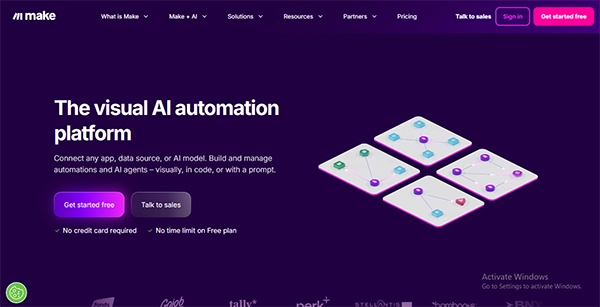
Ideal for multiple business operations, including marketing, IT, finance, sales, customer experience, and productivity, Make is one of the best visual automation platforms designed for more complex workflows. This platform is best known for its drag-and-drop interface that allows businesses to connect 3000+ apps, manipulate data, add conditional logic, and integrate APIs.
| Pricing Details | Core: $12/month Pro: $21/month Teams: $38/month Enterprise: Custom Quote The free tier plan is also Available. |
| Pros | Cons |
|
|
2. Rippling
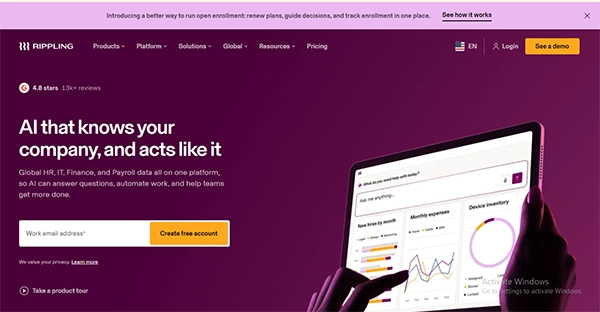
Next on the list of the best business automation tools is Rippling, which is also the best contractor management software. It is known for its seamless automated onboarding and offboarding workflows, payments, and benefit administration. The best part about this platform is that it serves as a centralised platform for all the organisation’s needs, including HR, payroll, IT, Finance, and even global talent management.
| Pricing Details | Request a Demo to Get a Custom Quote |
| Pros | Cons |
|
|
3. ActiveCampaign
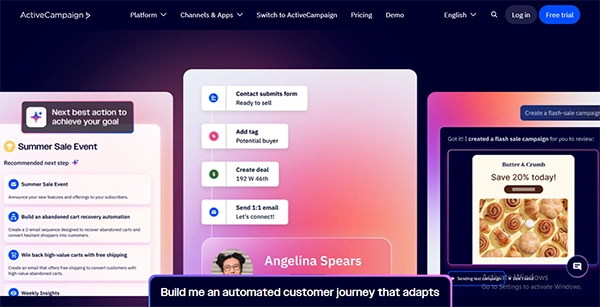
One of the best software options for marketing automation, ActiveCampaign is designed to manage customer experiences, email marketing, sales, and CRM. The best part about this platform is that it features an email library of 250+ customizable templates and 750+ automation templates, categorized by industry. Hence, it offers a complete industry-ready marketing strategy.
| Price Details | Starter: $15/month Plus: $49/month Pro: $79/month Enterprise: $149/month Offers a 14-Day Free Trial. |
| Pros | Cons |
|
|
4. Zapier
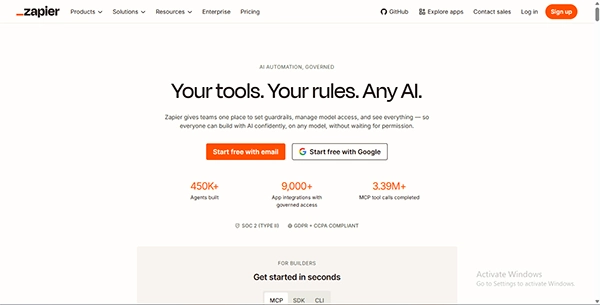
Zapier is a no-code automation platform that connects business apps and automates repetitive workflows. Best known for creating automations within existing tools, Zapier uses trigger-and-action workflows and supports 9,000+ apps, making it useful for tasks such as lead routing and employee onboarding, data entry, and notifications.
| Price Details | Professional: $19.99/month Team: $69/month Enterprise: Request a Custom Quote Free Trial is Available |
| Pros | Cons |
|
|
5. HubSpot
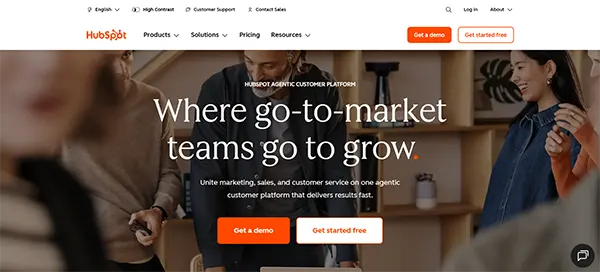
Trusted by some of the most reputable organisations, including Reddit, eBay, Tripadvisor, and more, HubSpot is known for combining CRM functionality with workflow automation for sales, marketing, customer service, and data operations. The platform works exceptionally well for startups and small businesses, automating recurring tasks, such as sending follow-up emails, deal updates, data management, and more.
| Price Details | Starter: $7/month Professional: $800/month Enterprise: $3600/month Free Tier is also available. |
| Pros | Cons |
|
|
Extended List of 5 Business Automation Tools Worth Considering
Here’s an extended list of 5 business automation tools you must consider:
| S No. | Business Automation Tools | Key Features | Pricing |
| 6. | Kissflow |
| $1500 to $2500 |
| 7. | Microsoft Power Automate |
| $15 to $215 |
| 8. | Monday.com |
| $9 to $19 Free Tier is available. For enterprise level, get a custom quote. |
| 9. | Workato |
| Request a custom quote |
| 10. | Zoho One |
| INR 1250 to INR 3500 30 Days free trial is available. |
Key Factors To Consider Before Selecting Business Automation Solutions
Here are some key factors that you must consider before selecting business automation tools:
- Business Needs: Firstly, identify the tasks and the processes you want to automate and then select the one that matches your requirements.
- Ease of Use: Consider selecting business automation software whose learning curve is gentle and ideal for non-technical users as well.
- Integration: Check the tools’ compatibility with your existing software and system. Ideal automation software must have smart integration features.
- Cost: Compare the price before selecting one. There are multiple options available at affordable costs and with advanced features.
- Customisation: Consider selecting the tools that can be tailored to your specific requirements.
Also Read: Onboarding Software: 10 Best Tools for New Hires in 2026
Final Thoughts
To sum up, business automation software solutions are perfect for small businesses that aim to automate recurring business tasks and engage employees in purposeful and other high-priority tasks. Each automation tool serves a different purpose, such as ActiveCampaign for marketing and Rippling for managing HR, IT, and finance.
However, consider your budget, professional goals, needs, and important factors, such as compliance measures, transparent pricing, scalability, data-driven insights, and more, before selecting automation software.
Frequently Asked Questions (FAQs)
Q1. What is meant by business automation?
Q2. What are the top 5 small business automation tools?
Ans. Rippling, Zapier, Make, Zoho One, and ActiveCampaign are the top 5 small business automation tools, known for their versatility and proficiency in every business field.
Q3. What are the important factors to consider before selecting business automation solutions?
Ans. System integration, AI capabilities, workflow and decision automation, user-friendly interface, gentle learning curve, compliance measures, transparent pricing, scalability, and data-driven insights are significant factors you must consider before selecting business automation solutions.
Q4. What are the top marketing automation tools?
Ans. ActiveCampaign, Salesforce Marketing Cloud, Mailchimp, Zapier, and HubSpot are the top marketing automation tools, which handle CRM and multichannel outreach.
Sources: