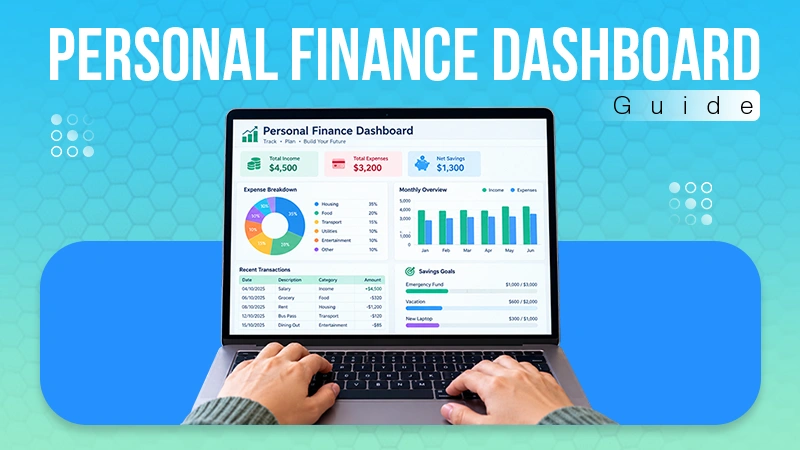
The best tool depends on your team’s needs, budget, and workflow. Platforms such as Slack, Microsoft Teams, Google Workspace, ClickUp, and monday.com are some popular options.
Top 10 Team Collaboration Software You can Look for in 2026
POST BY
PUBLISHED
September 3, 2026
With the advent of 2026, digitalization is at its peak. With remote and hybrid teams becoming common, businesses need reliable team collaboration software. This remote team collaboration software keeps employees connected, organizes tasks, shares files, and manages projects from anywhere.
From team messaging and video meetings to project management, modern collaboration platforms cater to a wide range of business needs. This guide explores the top team collaboration software for 2026, their key features, advantages, and limitations to help you make an informed choice.
Quick Answer:
The top 10 team collaboration software includes monday.com, Nectar, Slack, Microsoft Teams, Assembly, Zoom, Google Workspace, Arpixa, Notion, and ClickUp.
Table of Contents:
What is Team Collaboration Software?

Team collaboration software helps employees communicate, organize work, and complete projects together. It replaces scattered emails, spreadsheets, and separate messaging apps. Teams keep conversations, files, tasks, meetings, and updates in one place.
Modern collaboration software includes instant messaging, video conferencing, and file sharing. It also offers document collaboration, task management, calendars, and project tracking. Additional features include whiteboards, automation, and AI-powered assistance.
Members can view updates, assign responsibilities, and discuss tasks easily. They also access important documents without switching applications. However, more features do not always improve collaboration. Businesses should evaluate workflow, existing tools, skills, integrations, and budget.
Features of Team Collaboration App
Team collaboration software helps organizations streamline communication and improve productivity across teams. It brings all essential work tools into a single platform for easier access and coordination.
Here’s a list of features you need to keep in mind before going forward with software:
- Instant Messaging
Teams can communicate through direct messages, group chats, and dedicated channels without relying on long email threads.
- File Sharing
Employees can upload, share, and access important files from a centralized workspace, making document management easier.
- Video Conferencing
Built-in video meetings allow teams to conduct virtual meetings, presentations, and discussions from anywhere.
- Task & Project Management
Users can create tasks, assign responsibilities, set deadlines, and track project progress in real time.
- Real-Time Collaboration
Team members can work together on documents, spreadsheets, whiteboards, and other files simultaneously, improving coordination and productivity.
Also Read: Best Event Management Software in 2026 (Top 25 Compared)
Top 10 Best Team Collaboration Software 2026
There are several excellent team collaboration software options available, each designed to meet different organizational needs. However, of those, the 10 best include monday.com, Nectar, Slack, Microsoft Teams, Assembly, Zoom, Google Workspace, Arpixa, Notion, and ClickUp.
Here’s everything you need to know about the top 10 collaboration tools for businesses.
1. monday.com
Monday.com is a flexible work management platform designed to help teams plan projects, manage tasks, automate workflows, and collaborate from a central workspace. It offers tools for project management, CRM, development, marketing, IT, and other business functions.
The collaboration software provides customizable dashboards, integrations, automations, and AI-powered capabilities that make it suitable for teams across niches and industries.
| Strengths | Weaknesses |
|
|
2. Nectar
Nectar is one of the best team collaboration solutions that bring internal communication, engagement, workflow, and performance management together. The platform also uses AI agents to automate administrative tasks and help organizations gain actionable insights from employee data. This software integrates with popular tools such as Slack, Microsoft Teams, Workday, ADP, and UKG, making it suitable for organizations looking to improve employee experience.
| Strengths | Weaknesses |
|
|
3. Slack
Slack is one of the best virtual collaboration tools, helping teams collaborate through channels, direct messages, and automated workflows.
It also integrates with a wide range of third-party applications, allowing teams to manage conversations, tasks, projects, and information from a central workspace. AI-powered search helps users access information and streamline everyday work.
| Strengths | Weaknesses |
|
|
4. Microsoft Teams
Microsoft is one of the best online collaboration tools that helps teams work together through chats, channels, and video meetings. It brings conversations, shared content, Microsoft 365 tools, and third-party apps into one workspace. This also offers features such as meeting insights, notes, and translation, making it suitable for businesses, educational institutions, and remote teams.
| Strengths | Weaknesses |
|
|
5. Assembly
Assembly is yet another team collaboration tool that helps businesses centralize client communication, contracts, billing, and file sharing. The platform also offers CRM capabilities, AI assistance, integrations, custom apps, and automation tools to help businesses streamline client operations.
| Strengths | Weaknesses |
|
|
Also Read: Top 10 Facility Management Software: Features, Pros & Cons
6. Zoom
Zoom is one of the most renowned team communication software platforms. It helps individuals and organizations connect through video meetings, team chat, phone, webinars, and other productivity software. This platform brings communication and collaboration features together. The software platform offers solutions for customer experience, events, sales, and employee engagement.
| Strengths | Weaknesses |
|
|
7. Google Workspace
Google Workspace is the best meeting collaboration software. It brings together business tools such as Gmail, Drive, Docs, Sheets, Meet, Chat, Calendar, and Forms.
The software allows teams to communicate, create, store, and collaborate on files in real time from a central ecosystem.
| Strengths | Weaknesses |
|
|
8. Arpixa
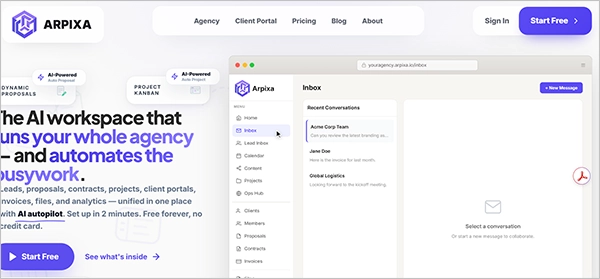
Arpixa is one of the best collaboration software tools. It brings lead management, CRM, proposals, contracts, projects, client portals, invoicing, payments, files, analytics, and automations into one connected workspace. The platform also uses AI to help automate routine tasks, such as creating drafts, following up with clients, and supporting agency workflows.
| Strengths | Weaknesses |
|
|
9. Notion
Notion is collaboration software for small businesses that combines documents, wikis, databases, project management, and collaboration tools in one platform.
It allows teams to organize knowledge, manage tasks and projects, create shared documentation, and collaborate on content. Notion also offers AI features that can help with tasks such as writing, summarizing, and automating repetitive work.
| Strengths | Weaknesses |
|
|
10. ClickUp
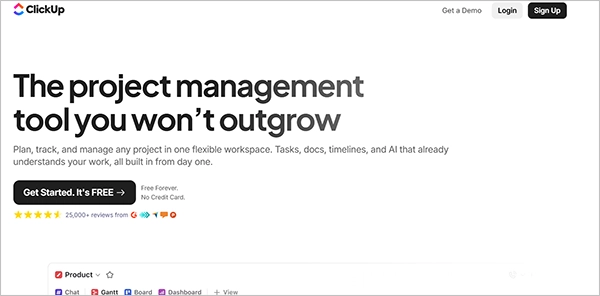
ClickUp is one of the best business collaboration tools that help teams plan, organize, track, and complete projects from a single workspace. The software combines tasks, docs, dashboards, timelines, chat, time tracking, and AI-powered features. Its customizable views and workflows make it suitable for both small teams and larger organizations managing complex projects.
| Strengths | Weaknesses |
|
|
Also Read: Construction Scheduling Software: 10 Best Tools & Features
Merits & Demerits of Team Communication Tools
Effective team communication tools can improve collaboration, streamline workflows, and keep employees connected across different locations. However, their usefulness also depends on proper implementation, user adoption, and the specific needs of an organization.
Here’s a list of merits and demerits:
| Merits | Demerits |
|
|
Bottom Line
The right team collaboration software can make communication smoother, organize workflows, and help teams work more efficiently. From messaging and video meetings to file sharing and project management, these tools bring essential workplace functions into one place. A well-suited collaboration platform can reduce communication gaps, support remote work, and improve overall productivity.
FAQs
What is the best tool for team collaboration?
What is collaboration software used for?
Collaboration software is used to help teams communicate, share files, manage tasks, conduct meetings, track projects, and work together in real time. It can also centralize information and integrate different workplace tools into one platform.
What are three types of collaboration software?
Three common types are communication tools, project management tools, and document collaboration tools.
- Communication tools support messaging and meetings.
- Project management tools help teams organize tasks and deadlines.
- Document collaboration tools allow multiple users to create, edit, and share files.
Sources: