Ans: The top picks of retail store scheduling software include Deputy, 7Shifts, Connecteam, Homebase, and When I Work. This software ensures easy shift swapping, real-time monitoring, and tracking for a seamless workflow.
18 Best Retail Scheduling Software for Shift Scheduling in 2026
POST BY
PUBLISHED
May 19, 2026
Managing the employees’ schedules and tracking the real-time updates every day can be complicated. Hence, retail scheduling software is a digital tool that enables businesses to plan and manage their workforce scheduling with intelligent automation. In simpler terms, retail employee scheduling software replaces manual schedule-making with a smarter system that creates shift schedules, tracks availability, handles shift swaps, and prevents overstaffing and understaffing.
Whether your business is small or large, manual scheduling is prone to errors. Therefore, in this article, we have listed 18 retail store scheduling software options, their benefits, pricing, and factors to consider before selecting one.
Table of Contents:
- Top 5 Retail Scheduling Software for Streamlined Workforce Management
- 13 Additional Recommendations for Retail Scheduling Software for Digital Workforce Management
- Benefits of Using Retail Scheduling Software
- Signs that Your Business Requires Retail Scheduling Software
- Important Factors to Consider While Selecting the Retail Scheduling Software
- Conclusion
- Frequently Asked Questions (FAQs)
Top 5 Retail Scheduling Software for Streamlined Workforce Management
The top retail scheduling software includes When I Work for its easy shift swapping and mobile-friendly solutions, Deputy for its precise staffing, and 7Shifts for its automatic tip documentation. Other notable retail store scheduling software includes Connecteam, Homebase, Sling, Shiftboard, Humanity, and more.
Here are the top 5 retail scheduling software with detailed explanations below:
1. When I Work
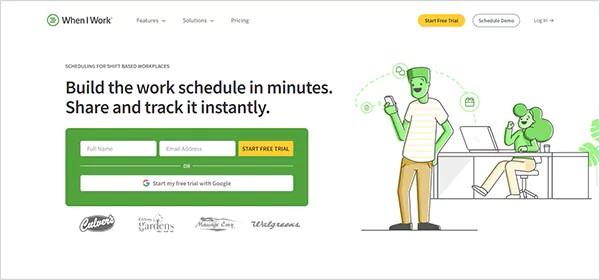
When I Work is a workplace management software that helps businesses manage their employees’ schedules with mobile-friendly solutions. This cloud-based software is ideal for small to mid-size companies, managing employees’ schedules, such as retail, hospitality, healthcare, and education.
The standout feature of this platform is that it allows an easy shift-swapping feature, which means employees can transfer their shift to another employee, in case of absence.
Why You Should Opt for When I Work:
- Features a user-friendly mobile app that allows employees to clock in and out, along with GPS tracking and photo verification to prevent proxy punching.
- It gives a reminder to employees about their shift timings so that there is no loss of productivity.
- Allows employees and managers to stay in touch with a group communication tool.
Limitations to Consider:
- It is not suitable for extensive customization or complex integrations.
- The group chat feature requires the installation of a separate app, which may create inefficiencies by requiring users to switch between apps.
Price Details:
- Basic Plan: $2/month/user
- Premium Plan: $5/month/user
2. Deputy
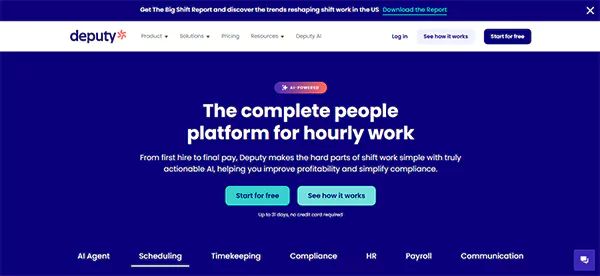
Deputy is a comprehensive customer relationship management system that uses powerful AI models for optimizing schedules, controlling labour costs, and ensuring task management with precise staffing. The best feature of this platform is that it automatically calculates overtime and tracks attendance to ensure accurate payroll processing and prevent time theft.
Why You Should Opt for Deputy:
- It ensures real-time updates about employee availability, flexible shift scheduling, and a task management system that tracks and assigns tasks.
- Integrates smoothly with QuickBooks, NetSuite, Shopify, Xero, and more.
- It generates a detailed report on labour costs and manages shift swaps and leave requests.
Limitations to Consider:
- The leave approval logic is quite restrictive.
- The setup can be complex and more expensive than many of its competitors.
Pricing Details:
- Lite Plan: $5/month/user
- Core Plan: $6.50/month/user
- Pro Plan: $9/month/user
3. 7Shifts
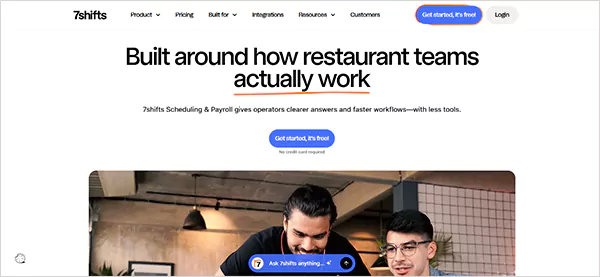
7Shifts is a restaurant-focused, cloud-based scheduling software that helps businesses manage restaurant schedules. It manages and tracks the employees’ time, leave requests, and overtime. The standout feature of this platform is that it automates the calculation and distribution of tips, hence simplifying the admin work with automatic tip documentation and payroll syncing. It is best suited for small to medium-sized restaurant businesses.
Why You Should Opt for 7Shifts
- It features a mobile app that lets employees view their schedule on the go and access the group chat for team communication.
- A manager’s logbook allows managers and employees to keep notes, add shift details, and integrate POS to track operational data.
- The drag-and-drop interface makes shift scheduling easy.
Limitations to Consider:
- 7Shifts is specifically tailored for the restaurant industry, making it less ideal for other industries.
- Time tracking requires a separate app.
Pricing Details:
- Essential Plan: $39.99/month/location
- Pro Plan: $79.99/month/location
- Premium Plan: 134.99/month/location
4. Connecteam
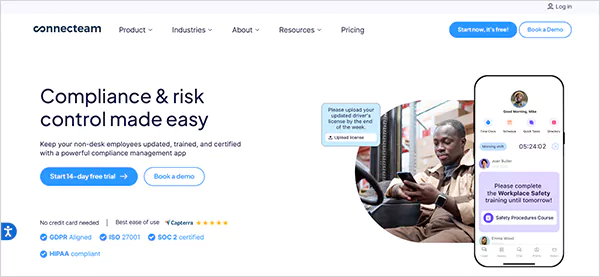
Designed for non-desk jobs, such as healthcare, retail services, construction, and more, Connecteam is an all-in-one retail employee scheduling software that helps businesses create shifts seamlessly. The unique feature of this platform is that it uses AI scheduling based on availability and qualifications and flags the conflicts about shift overlapping in real time. Users can add details about the shift timings, tasks for the day, important notifications, and more.
Why You Should Opt for Connecteam
- It features a built-in mobile app that enables users to clock in and out easily, as well as geofencing to ensure that staff are at the correct location.
- Connecteam offers an HR hub that posts jobs, hires, and onboards the candidates, while ensuring compliance and making the new candidates job-ready from day one.
- Connecteam is 100 percent free for the first 10 users, making it an optimal choice for small to medium-sized businesses.
Limitations to Consider:
- Advanced analytics are quite limited in this retail scheduling software.
- It has fewer integrations than its competitors.
Pricing Details:
- Basic: $29
- Advanced: $49
- Expert: $99
- Enterprise: Customized Plans
5. Homebase
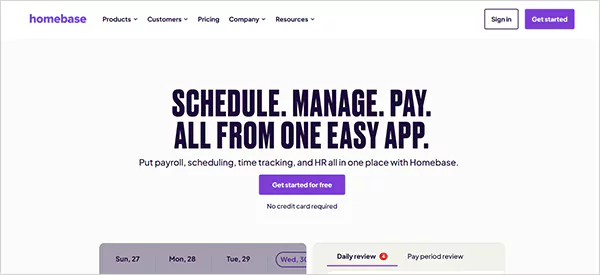
Homebase is one of the best retail scheduling software, built primarily for education, healthcare, beauty, food and beverages, and other industries. Known for its minimal schedule setup, this auto-scheduling tool ensures compliant time tracking and optimizes the employees’ schedules so they’re adequately staffed for the clients. The best part about Homebase is that it features a mobile app where users can send messages to the entire group or the organization.
Why You Should Opt for Homebase
- The setup and installation of Homebase is painless. It only requires the existing schedule, the company’s details, locations, and payroll solutions.
- Homebase lets the managers know about the clock-ins and clock-outs, along with alerts for late clock-ins and overtime.
- It ensures HR and compliance by storing employees’ documents and certifications, and also establishes rules around overtime to ensure compliance with labour laws.
Limitations to Consider:
- There can be glitches in the mobile app, which may require manual refreshing.
- Geofencing in Homebase is limited to only three options, and hence, there is no custom geofencing, unlike its competitor, Connecteam.
Pricing Details:
- Basic: $0
- Essentials: $30
- Plus: $70
- All-in-One: $120
13 Additional Recommendations for Retail Scheduling Software for Digital Workforce Management
Here’s an extensive list of retail scheduling software to consider for effective retail management in 2026:
| S No. | Retail Scheduling Software | Key Features | Pricing |
| 6. | Sling |
| Starts at $1.70/user/month |
| 7. | Humanity |
| Starts at $3.30/month/user |
| 8. | Shiftboard |
| Custom Quote |
| 9. | ZoomShift |
| Custom Quote (Free for companies with less than 20 employees) |
| 10. | PandaDoc |
| Starts at $19/month/user |
| 11. | Snap Schedule |
| Starts at $2/month/user (14-day free trial) |
| 12. | ClockShark |
| Starts at $40/month (14-day free trial) |
| 13. | Ubeya |
| Custom Quote |
| 14. | TimeTrex |
| Custom Quote (30-day free trial) |
| 15. | ShiftForce |
| Custom Quote (30-day free trial) |
| 16. | Findmyshift |
| Starts at $27 (Free for less than 5 team members and 1 manager) |
| 17. | Rotageek |
| Custom Quote |
| 18. | StaffAny |
| Starts at $89 per roster (Free version also available) |
Benefits of Using Retail Scheduling Software
Time-efficient, better communication, enhanced flexibility, improved communication, and data-driven decision-making are some of the benefits of retail scheduling software.
Here’s everything you need to know:
- Time Saving and Reducing Manual Labour: Managing and adjusting schedules can be time-consuming. Hence, a retail store scheduling software automatically creates shifts, allowing shift swapping based on availability and qualification.
- Improved Communication: When the entire scheduling system can be accessed on the go via a mobile phone, it enhances efficiency. The employees can view schedules, clock in easily, receive instant notifications about shifts and changes, request leaves, and communicate easily with the managers, reducing the chances of conflicts and misunderstandings.
- Data-Driven Decisions: By analyzing the attendance, working hours, overtime, sales patterns, and performance reviews, the employee scheduling software for retail enables businesses to make informed decisions. It reduces the guesswork around sales performance and ensures improved business planning.
- Prevents Payroll Disputes: By comparing the scheduled hours with the actual worked hours, this software identifies the precise productivity and attendance. Employees can clock in and out digitally with the GPS location and photo identification, preventing time theft and buddy punching.
- Increased Working Flexibility: The retail employee scheduling software enhances flexibility, which means employees can easily swap shifts in case of absence, and adjustments can be made based on real-time demands. It gives employees control over their schedules, enhancing their job satisfaction.
Also Read: 18 Vendor Management Software – Features, Pricing & Reviews
Signs that Your Business Requires Retail Scheduling Software
Here are some signs that your business probably needs retail employee scheduling software:
- When scheduling becomes complex and requires frequent back and forth.
- The company is overstaffed and understaffed quite often.
- Inventory management at multiple stores becomes complicated
- No real-time visibility into schedules, absences, and overtime.
- Workflow is scattered across multiple software and apps.
- Payroll disputes and errors are at an all-time high.
These are some of the scenarios that, when scheduled, can create stress and inefficiency in the organization, prompting the managers to opt for retail store scheduling software.
Important Factors to Consider While Selecting the Retail Scheduling Software
When selecting retail store scheduling software, it should be kept in mind that the chosen software is user-friendly and requires minimal training. The integrations are seamless, and it features multi-location visibility and real-time updates.
Here are some important factors that you must consider before selecting a retail scheduling software:
- Ease of Use and User-Friendly Interface: Select a dashboard with a minimal and simple dashboard, an easy drop-down for schedule creation, and one with minimal training requirements are minimum. Homebase is an example of such a platform, as a clean interface reduces the struggle and mistakes, maintaining its user-friendliness.
- Mobile Friendliness and Proper Communication: Mobile is the easiest way to access important information on the go. Since retail teams do not have desk jobs, it is important for them to know the real-time updates and shift schedules easily on their phones. A software that is capable of sharing push notifications, reminders, and allows group chat is the one that you can opt for.
- Integrations: Integration is one of the major factors as it prevents the duplication of work and improves accuracy across the operations by seamlessly integrating with major systems, such as POS, HR systems, and payroll. It improves compliance management and ensures labour cost control.
- Multi-Location Visibility: The multi-location visibility enables the managers to have real-time updates about the staff schedules across multiple stores and locations. They can monitor availability, absences, and reallocate employees from one location to another when needed.
- Time Tracking and Real-Time Updates: Managing the employees’ schedule manually may lead to missed clock-ins and payroll conflicts. Select a software that enables employees to clock in and out digitally, where the exact working and overtime hours are recorded. Any shift swaps and absences are notified instantly to the managers and staff.
Suggested Reading: SaaS Vs Cloud – Benefits, Features & Detailed Comparison
Conclusion
To sum up, in a rapid retail environment, a retail scheduling software that streamlines workforce management, minimizes conflicts, and presents real-time updates about the business is non-negotiable. Therefore, investing in retail software adds a significant difference to day-to-day operations.
Whether your organization is small or rapidly developing, retail schedule software will serve multiple purposes, like time efficiency, improved communication, conflict prevention, and ensuring data-driven decisions.
Frequently Asked Questions (FAQs)
Q: What are some of the best retail scheduling software for managing the workforce?
Q: Is training required before using a retail staff scheduling software?
Ans: Yes, minimal training is required before using employee scheduling software for retail. Although there is software that offers an intuitive interface, minimizing the learning curves, and making employees job-ready from day one.
Q: Is retail scheduling software capable of handling operations at multiple locations?
Ans: Yes, this software is designed to manage operations at multiple locations within a single software. It enables the managers to oversee work at different stores, located at different locations.
Q: What are some factors that I should consider before selecting retail scheduling software?
Ans: The user-friendly interface, mobile compatibility, integrations, multi-location visibility, and real-time tracking are some of the important factors that you should consider before selecting a retail employee scheduling software.
Q: What are some of the best retail scheduling software for small to medium-sized enterprises?
Ans: For small to medium-sized enterprises, When I Work, 7Shifts, and Connecteam are some of the best retail employee scheduling software.