Yes. Image-to-video AI uses the original photograph as a visual foundation and adds subtle motion, such as a slight smile, head turn, or gentle camera pan, while preserving vintage details like clothing and hairstyles.
Can Image-to-Video AI Animate Old Family Photographs?
POST BY
PUBLISHED
November 17, 2026
Old family photographs have moments that families might never experience again.
Old family photographs capture moments that families may never experience again: a grandparent’s wedding, a childhood celebration, or a family gathering from decades ago. Image-to-video AI introduces a creative way to revisit these memories by adding movement to still photographs. A familiar face might turn slightly, a person might smile, or a camera might move gently across an old scene. The aim is not to recreate history, but to explore personal memories through a new visual format.
Table of Contents:
What Happens When AI Animates an Old Family Photograph?
This makes animation particularly interesting for family archives because it introduces a new way to experience familiar photographs without changing their historical context.
Bringing Static Memories Into Motion
An old photograph records a single moment, but viewers often imagine the movements that happened just before or after the shutter clicked. Image-to-video AI turns that imagination into a visual sequence by interpreting the photograph and generating movement based on creative instructions. A portrait of a grandparent might become a short clip featuring a gentle smile or a slight head turn. A photograph of children playing could inspire subtle body movements and environmental motion. The original image provides the visual foundation, while the motion prompt determines how the scene develops.
Which Types of Family Photographs Work Best?
Different photographs offer different possibilities for animation. Individual portraits provide a clear subject for facial expressions and small movements. Wedding photographs might inspire a gentle camera movement that emphasizes the couple, while group photographs can become short visual sequences that capture the atmosphere of a family gathering. Outdoor photographs also offer opportunities to introduce environmental movement, such as swaying trees or flowing water. Before starting, consider the main subject and the story behind the photograph. A clear portrait with a recognizable face provides a natural starting point for character animation. A wider family scene might benefit more from camera movement than from complicated individual actions. Choosing an animation direction that suits the original composition makes the result more meaningful.
Preserve the Character of the Original Memory
The appeal of an old family photograph often comes from its original appearance. Clothing, hairstyles, facial expressions, furniture, and background details all reflect a particular period. Animation should respect these visual characteristics rather than turn the photograph into an entirely different scene. For example, a vintage wedding portrait might only need a subtle expression change and a gradual camera movement. A childhood photograph could feature a small smile while retaining the original clothing and surroundings. This is where image to video ai becomes an interesting creative tool: it introduces motion while keeping the source photograph central to the result. A restrained visual direction also allows viewers to focus on the people and memories represented in the photograph.
How to Create Meaningful Animated Family Photographs
These references provide additional creative guidance when developing a more detailed visual concept.
Prepare the Photograph Before Animation
A thoughtful preparation process starts with selecting a photograph that has personal significance. Examine the original image and identify the details that should remain recognizable, including facial features, clothing, hairstyles, and important objects. If the photograph has been scanned or restored, keep a preserved copy of the original for reference. Next, decide which part of the image should move. A close-up portrait might need only a slight head turn, while a family photograph could benefit from a slow camera movement across the scene. Kling 4.0 supports portrait uploads and other image inputs for image-to-video creation. Its Omni Reference feature also supports up to 15 combined reference assets, including images, videos, and subjects, subject to individual input limits.
Describe Small Actions Instead of Rewriting the Scene
The most meaningful animation does not always involve dramatic movement. A slight smile, a gentle blink, or a small turn toward another family member might communicate more than an elaborate sequence. When writing a motion prompt, describe the action, its direction, and the intended camera behavior. For example, a portrait could feature a person looking toward the camera and gradually smiling while the camera moves closer. A photograph of two family members might inspire a gentle head turn toward each other. Kling 4.0 supports start and end frames, as well as up to 10 flexible keyframes under supported settings. These controls provide additional guidance for important changes in character actions and scene progression. Creators can therefore plan how a memory-inspired sequence should unfold.
Turn Individual Photographs Into a Connected Family Story
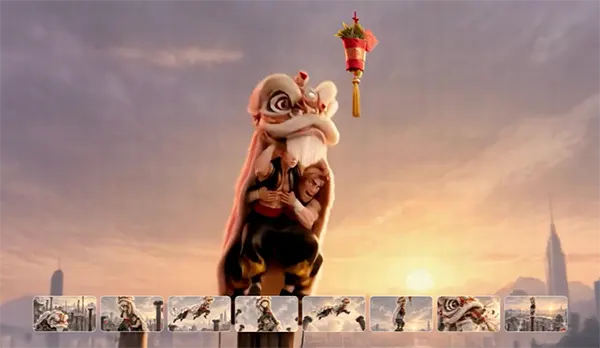
A collection of old photographs often tells a much larger story than any individual image. Childhood portraits, graduation photographs, wedding pictures, and family celebrations might represent different chapters of the same family’s history. Instead of animating each photograph independently, creators can develop a connected visual presentation. For example, a family anniversary video could begin with an older generation’s portrait, move through photographs of important milestones, and finish with a recent family gathering. Kling 4.0 supports video generation of up to 30 seconds, along with reference-based creation and video editing. Creators can also explore different camera movements and visual treatments while developing connected scenes. Adding dates, names, and short captions during final editing provides historical context and makes the finished presentation more personal.
Conclusion
AI animation offers families a new way to revisit photographs and explore the stories behind them. The most effective results begin with meaningful source images, carefully chosen movements, and respect for the original subjects and historical details. Kling 4.0 brings image references, keyframe guidance, and cinematic camera movement into this creative process. Whether animating one cherished portrait or developing a family-history video, the purpose remains the same: to give treasured memories a fresh visual expression while keeping their personal significance intact.
Frequently Asked Questions
Can image-to-video AI animate old black-and-white or vintage family photos?
Which types of family photographs work best for AI animation?
Clear individual portraits work best for subtle facial expressions, while wider group, wedding, or outdoor photos respond better to slow camera movements and background motion like swaying trees.
How should I write prompts to animate family photographs naturally?
Focus on small, restrained actions—like a gentle blink or a slow zoom—rather than dramatic scene changes so the original subjects remain recognizable.