Upload your room picture to an AI video generator such as Dreamina, indicate the way in which you want your camera to move, choose your settings, and generate the video.
Turning Room Photos into Immersive Walkthroughs
POST BY
PUBLISHED
September 9, 2026
A house might be aesthetically pleasing in photographs, but it may still leave its would-be customers or visitors in doubt about how the space really feels. The photographs will highlight many details of the interior, but will not help the viewer to understand how all spaces are interconnected, how spacious the interior is, and how light flows through the spaces.
That is where AI-powered image to video tools can make a difference. Rather than giving just another set of photographs to the customer, you will be able to turn any photograph of an interior into a video showing the walkthrough. Dreamina and Seedance 2.5 make it very easy to do.
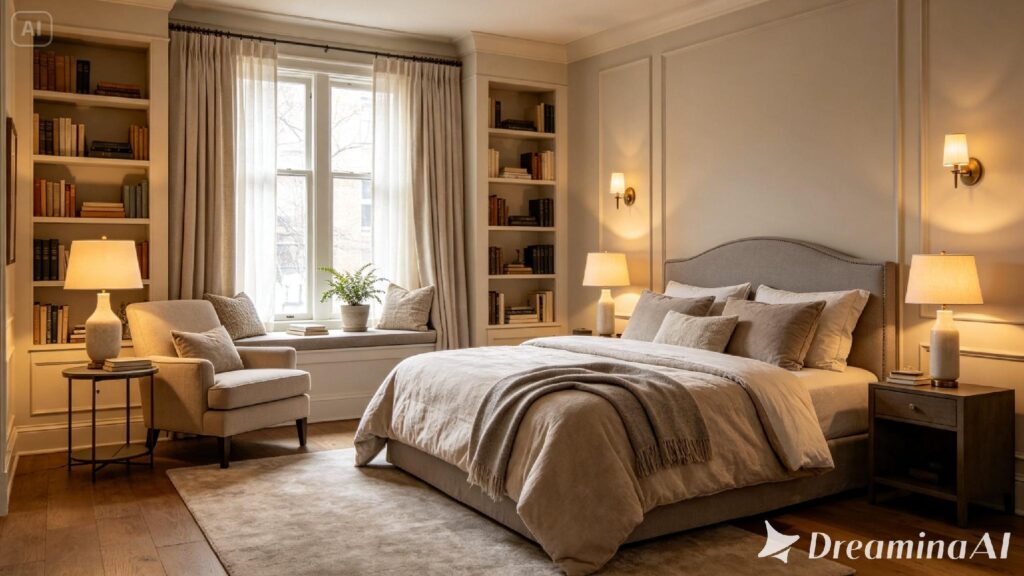
Table of Contents:
- Why a photo gallery isn't enough anymore
- What an immersive walkthrough actually adds
- Building your walkthrough with Dreamina
- Getting the source photo right matters more than you'd think
- Inside Seedance 2.5: the engine behind the movement
- Where camera movement makes or breaks the effect
- Matching the mood to the space
- Where these walkthroughs get the most use
- Final thought
- FAQs
Why a photo gallery isn’t enough anymore
Scroll through any listing site, and you’ll see the same pattern — a dozen static photos, each showing one corner of a space, leaving the viewer to mentally stitch the room together.
It is this mental effort that makes people lose interest instantly. This is precisely why the walkthrough comes into play, since it allows a person to navigate through a room, just like they do when they stand at the doorway themselves.
What an immersive walkthrough actually adds
Movement through a room does more than just look impressive — it communicates scale, flow, and light in ways a single frame simply can’t:
- A sense of how rooms connect
- How natural light shifts across different areas of the space
- A feeling of proportion that’s easy to misjudge from stills alone
Building your walkthrough with Dreamina
Creating motion from a static picture in Dreamina is done through a straightforward process.
Step 1: Upload your room photo and describe the movement
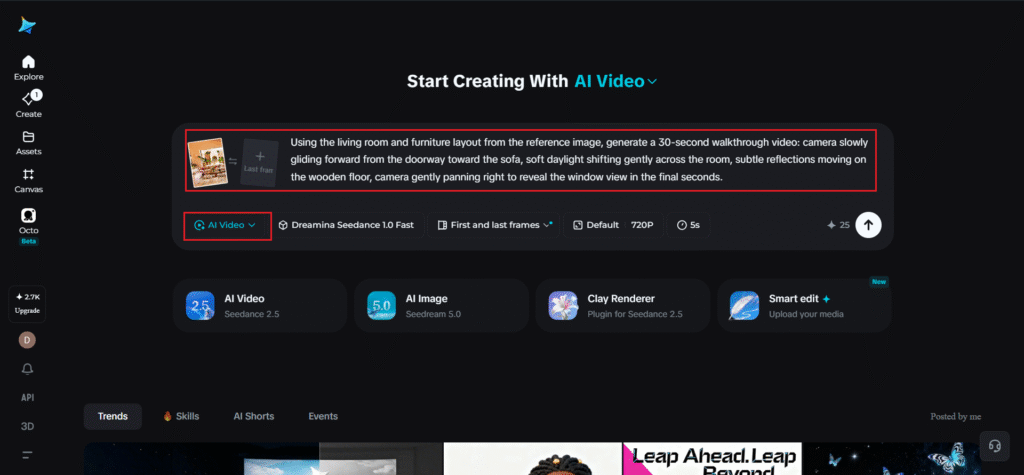
Log in to Dreamina and enter the “AI Video” section. Tap “Add reference image,” upload an image of your room, and type a prompt to describe how the camera should move.
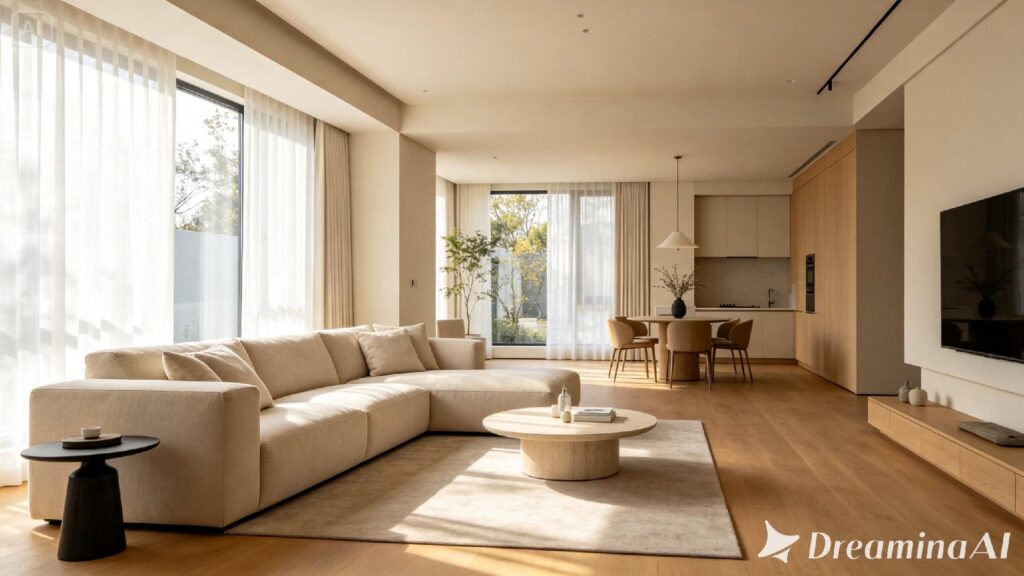
For a 30-second clip, try: Using the living room and furniture layout from the reference image, generate a 30-second walkthrough video: camera slowly gliding forward from the doorway toward the sofa, soft daylight shifting gently across the room, subtle reflections moving on the wooden floor, camera gently panning right to reveal the window view in the final seconds.
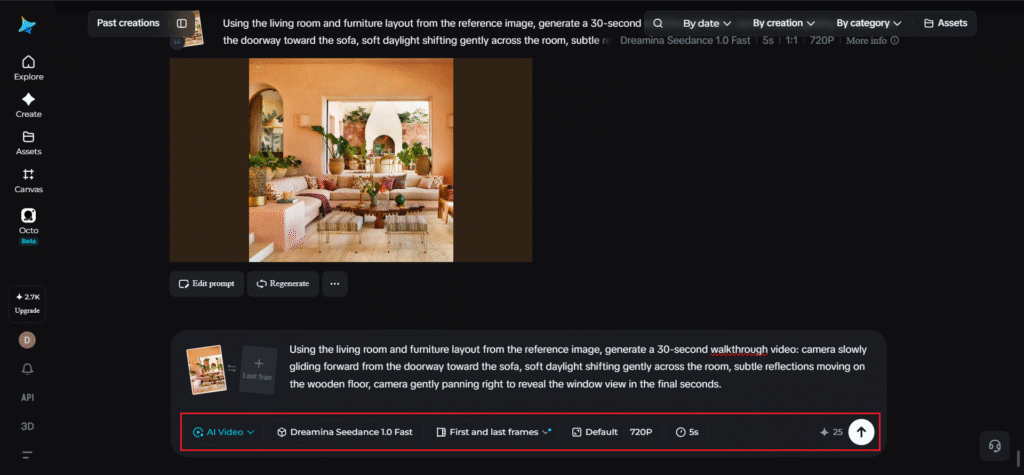
Step 2: Generate the walkthrough with Seedance 2.5
Select the Seedance 2.5 model, choose your video length, then pick an aspect ratio suited to where the video will be shown — 16:9 for listing sites and YouTube, 9:16 for Instagram Reels or TikTok. Click Dreamina’s generate icon and let it process the scene.
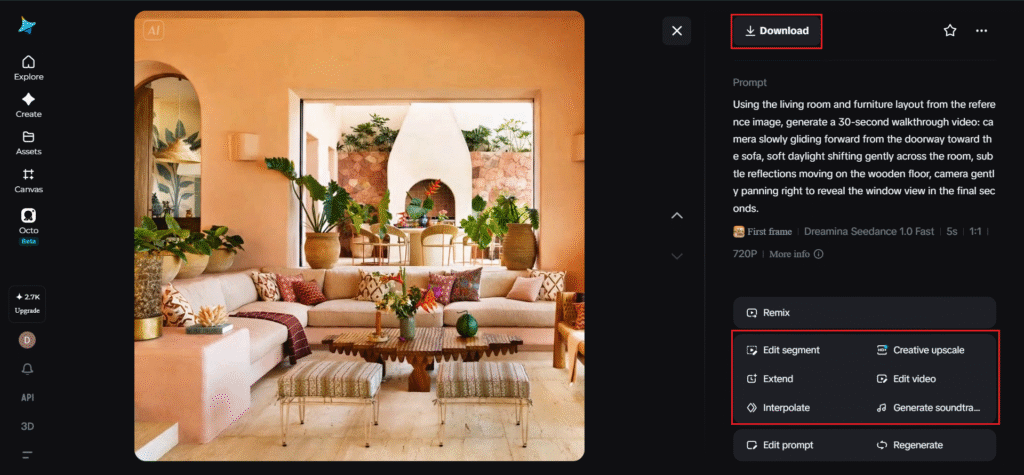
Step 3: Refine and export your walkthrough
Edit the completed video using the editing software of Dreamina by applying the following effects: Upscale, which makes the images clearer, and Generate a soundtrack for creating the background music, which is suitable for the space.
Getting the source photo right matters more than you’d think
The power of the walkthrough lies in the photograph that the walkthrough is based on. Photographs that have wide angles showing a clear depth of field – the ground, the far wall, and lines of sight within the room – allow the model much more to work with than close-up shots or cluttered photographs.
Inside Seedance 2.5: the engine behind the movement
Seedance 2.5 Technology is what makes up the natural movements in the AI-created walk-throughs. It helps with understanding the space layout, natural camera movement, and also making more believable lighting, textures, and environment.
Longer walkthroughs, fuller spaces
Native clips now support up to 30 seconds, and the new “Ultra-long Video Generation (beta)” mode extends that range up to 180 seconds — enough time to move through multiple rooms in one continuous, unhurried sequence rather than a rushed pan.
Reading complex spatial layouts
Seedance 2.5 has more advanced capabilities to understand richer references like blockout data for the white model, which is very helpful in cases where the space consists of different rooms or has an intricate design.
Natural light and texture, not the “AI look”
The model has significantly reduced the artificial quality that used to make generated interiors look slightly off, favoring more realistic light behavior across floors, walls, and furniture surfaces.
Precise local editing
Local editing is done to enable one to change or delete certain elements in the scenery, such as a loose cable, without having to regenerate the whole walkthrough process.
Where camera movement makes or breaks the effect
Not all camera motion reads as natural. A walkthrough tends to feel convincing when the movement mimics how a person would actually walk through a space — steady, forward-moving, occasionally pausing to look around — rather than sweeping erratically from corner to corner. Being specific about direction and pacing in your prompt goes a long way here.
Matching the mood to the space
A sleek and minimalist flat needs a different tempo compared to a warm and cozy cottage bedroom. Rapid and clean camera movement is needed for modern places, whereas slow and soft camera movement is more likely needed for warmer places. Mentioning the mood in the prompt itself, that is, “clean and modern” as opposed to “warm and cozy,” can guide Seedance 2.5.
Where these walkthroughs get the most use
Immersive room walkthroughs are especially effective for real estate listings, short-term rental marketing, interior design portfolios, and hospitality content, where giving someone a felt sense of a space often does more to convert interest than another static photo ever could.
Final thought
It was never intended that a room be viewed from a single point of view. A room was always meant to be walked through, and it is only now, thanks to Dreamina and the spatial narrative in Seedance 2.5, that a few still images can create a walkthrough experience.
FAQs
How do I create a video out of my room picture?
What is meant by an immersive room walkthrough?
This is a video generated based on room images showing movement through a space and providing insight into the room’s design and proportions.
For what purpose is Seedance 2.5 being used in Dreamina?
Seedance 2.5 is a video generation model for creating movements, deciphering spatial references, and adding more realistic lighting and textures.
Where could immersive room walkthroughs be utilized?
Immersive room walkthroughs may be beneficial when listing real estate, creating short-term rental listings, building interior design portfolios, promoting hospitality industry offerings, etc.