Graphisoft Archicad is the best architecture studio, as it has a more intuitive user interface and offers a native openBIM framework.
11 Best BIM Software For Your Construction Needs
POST BY
PUBLISHED
June 24, 2026
BIM software, which is Building Information Modeling software, is extensively used for creating 3D models of construction projects, where each element is interactive.
Unlike 2D blueprints, where managing the precision fine details becomes a challenge, BIM software manages such intricate infrastructure designs meticulously. Choosing the best BIM tools is all about which one truly satisfies your needs, as each software caters to different needs.
Here are the 11 best BIM software programs that you can integrate for your construction projects.
Table of Contents:
1. Autodesk Revit
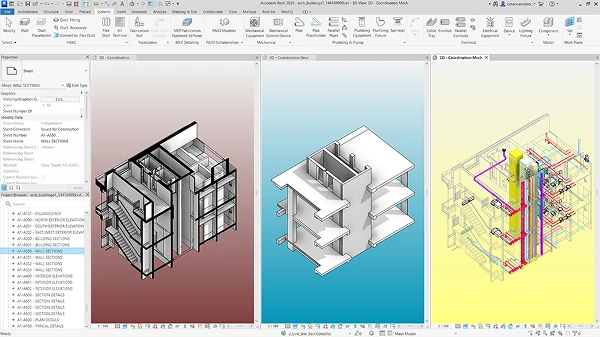
The major highlights of Autodesk Revit are its parametric changes; this means that a single change in the model automatically facilitates changes in all connected models. Whether it’s in 3D or 2D view, a single change makes it updated across all files.
What Makes it Different?
Revit gives an edge when it comes to integrating structural and MEP engineering models, as it’s one of those tools that does the architecture work for you. However, it focuses less on providing aesthetic looks and more on raw and structured data.
| Pros | Cons |
| Easy to use and share | Not an actual model-making software |
| Advanced features like an issue tracker | Only 3D navigation is a good part of it |
| Interactive 3D model | |
| Real-time markups |
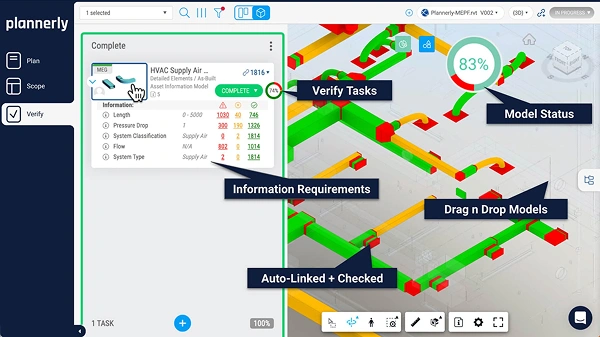
Plannerly is not exactly a BIM software but more of a management tool. It is specifically useful for those architects and owners who have agreed on a particular model.
The main motive of Plannerly is to break down BIM into planning and scope and verify that results in the efficient execution of construction.
What Makes it Different?
It acts like a bridge that fills the space between code and execution. Designers barely go through the documentation, which leads to end-of-moment blunders and disruption.
Plannerly does the verification work and reviews the 3D model file to reduce manual intervention. Moreover, it also tracks data compliance and avoids wasted modeling hours by defining the right strategy.
| Pros | Cons |
| Verifies model | Not a modeling tool |
| Seamless cloud integration and easy file management | Small firms might not really want such a system integrated |
| Include a legal contract binding |
3. Trimble Tekla
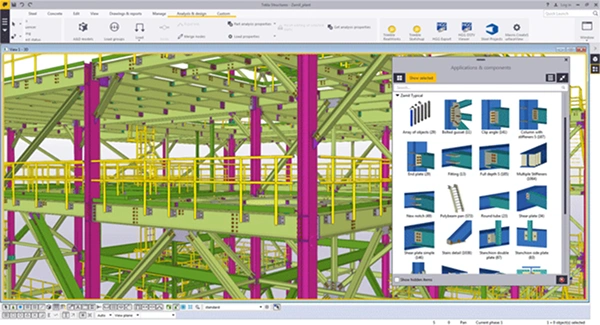
Trimble Tekla is an elite building information modeling software that offers structural precision and fabrication.
Beloved tool by engineers as it facilitates modeling structures down to millimeters, which includes steel bars and weld lines. Must use a tool for handling large infrastructure projects like stadiums or refineries.
What Makes it Different?
Tekla offers detailed modeling capabilities with exceptional accuracy. Compared to all the alternatives, it gives you the leverage to zoom in and carry out advanced multi-level engineering.
| Pros | Cons |
| Ability to execute massive modeling structures | Quite expensive software |
| Flags conflict between bolts and steel joints | Steep learning curve |
| Automatically generate CNC data | Difficulty in navigating through the interface |
| Allow smooth data exchange |
4. Revizto
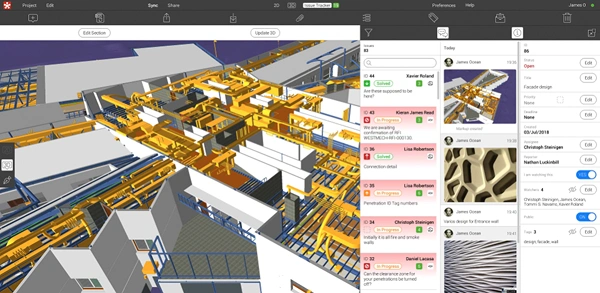
A cloud-based BIM solution, Revizto, caters to the needs of engineers, architects, and construction workers. Users can seamlessly switch between 2D and 3D models and offer a collaborative environment.
As engineers proceed through different stages of construction, Revizito can also be used as a monitoring tool.
What Makes it Different?
Compared to previous tools, Revizto is much simpler and has an interactive UI along with model comparison and clash detection. Moreover, it’s not an actual building software; it aggregates the 3D and 2D files into interactive elements.
| Pros | Cons |
| Easy to use and share | Not an actual model-making software |
| dvanced features like an issue tracker | Only 3D navigation is a good part of it |
| Interactive 3D model | |
| Real-time markups |
5. Graphisoft Archicad
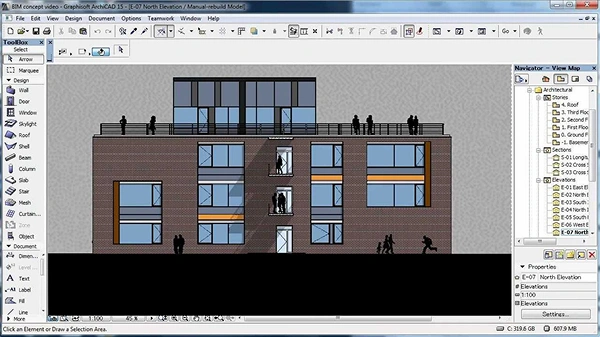
Graphisoft was the one who introduced the virtual building concept, which was the world’s first BIM, launched in 1984. The OpenBIM approach makes it a popular choice that allows its architects to work comfortably with other extension files.
With the wide range of editing tools for handling the common aspects of architectural design, engineers get visually stunning models.
What Makes it Different?
Whether you are working on small or big projects, Graphisoft caters to all the unique requirements. Additionally, Graphisoft feels more streamlined and gives designers more freedom.
| Pros | Cons |
| Intuitive layout | Gestures are strictly gated behind subscription models |
| Best with Mac | Smaller ecosystem |
| Lightweight BIM software for construction | Requires specialized scripting knowledge |
| AI assistance |
6. Autodesk Navisworks
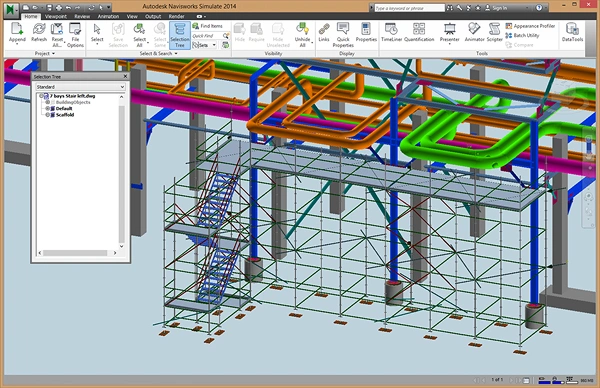
Autodesk Navisworks is an aggregator that imports massive 3D files from different platforms. A reliable and fully advanced clash detection software that holds its place among visual designers and construction professionals.
It merges all the heavy files into one singular lightweight, easy-to-process file and runs an advanced simulation. Facilitating an easy way to detect faults and errors before construction takes place.
What Makes it Different?
Compared to other building information management programs, it has a physical geometric collision that detects hard clashes.
| Pros | Cons |
| Automatically calculates the right placement with advanced clash detection | Outdated visuals |
| Supports 60 different file formats | Steep learning curve |
| Easily compresses tons of heavy gigabytes into a lighter version | |
| Accurate quantification |
7. BricsCAD
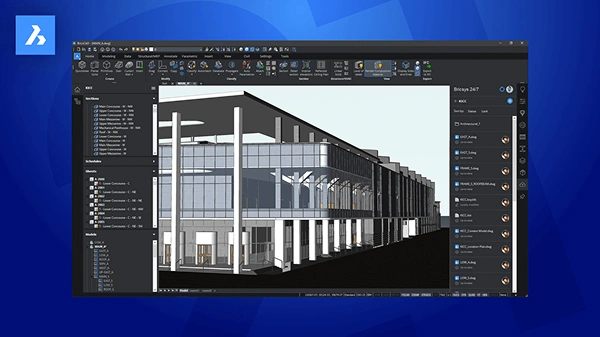
BricsCAD is one of the most cost-effective BIM tools that is integrated with 2D CAD drafting and 3D conceptual modeling. BricsCAD allows you to seamlessly transition from 2D drafting into 3D objects and full BIM under one single dashboard.
From sketching to building an information model, the ability to play around with components is pretty much unlimited.
What Makes it Different?
It focuses on the CAD approach and lets you compile a BIM sheet within a single file that keeps management of models much easier. BricsCAD is much superior in terms of reusing, recycling, and providing technical documentation.
| Pros | Cons |
| Facilitates conceptual designing in a much more intuitive format | Smaller user community |
| BricsCAD is a one-time purchase | Collaborative friction |
| AI-assisted modeling |
8. Solibri
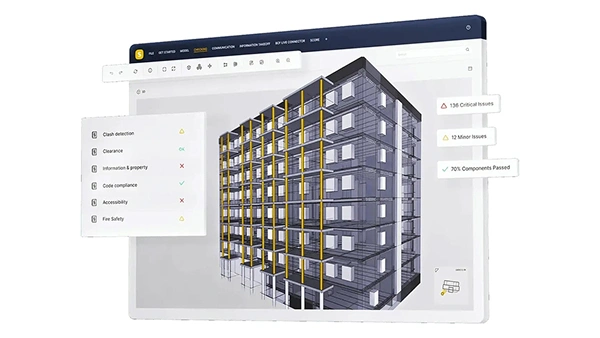
Where traditional BIM tools offer collision detection and model-making compliance, Solibri offers logical data integrity as well. It enables construction professionals to run an automated inspection to check whether interactive elements like doors and windows are accessible.
Safe to say that the technology Solibri brings is world-class and facilitates rule-based compliance checking that can also be used as interior or kitchen designing software.
What Makes it Different?
Solibri checks for intent and feasibility, along with clearance errors that are missing in the majority of BIM software.
| Pros | Cons |
| Uses a custom code algorithm | You can’t fix anything in this software |
| A robust system to detect omissions and flaws | Higher price |
| Manages open-source files |
9. Snaptrude
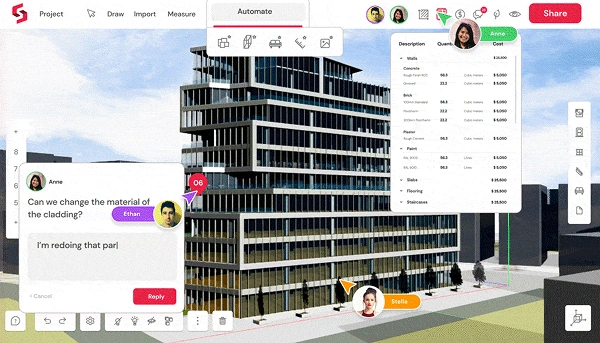
Snaptrude is specifically designed for the early stages of architecture that include pre-designing, feasibility studies, and offering schematic design. Traditional BIM tools are quite heavy; Snaptrude has forged itself to provide swift sketch-up.
What Makes it Different?
Other tools lack BIM data, but Snaptrude fixes it. Offering fluid concepts, designers no longer have to throw the model. And with the free tier allowing users to create 3 projects, it’s student-friendly too.
| Pros | Cons |
| Allow multiple members to jump in | Features native bi-directional link |
| Automated space calculation | Does not have plug-ins |
| AI-powered design | Lacks robust and precise calculation |
| Features native bi-directional link |
10. Bentley OpenBuildings Designer
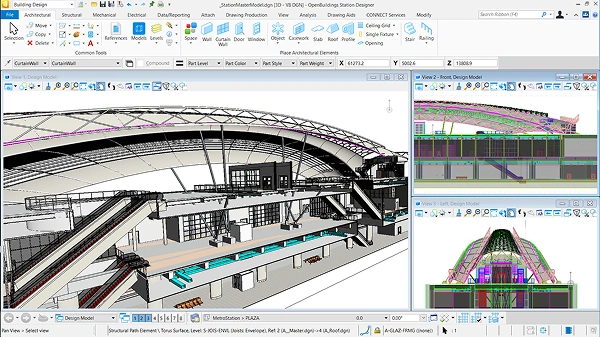
Bentley OpenBuildings Designer is an all-in-one BIM software that is the best fit for large-scale industries. So the usage of this particular tool isn’t just limited to the construction industry but can also be integrated into transit and airports.
It handles an incredibly vast high-gigabyte infrastructure that runs smoothly without crashing. Furthermore, it boasts a digital twin-ready workforce that manages the construction and architectural pipeline.
What Makes it Different?
Bentley is specifically built for the transportation sector as it handles real-world geographical locations, giving precise data on space. Moreover, it gives massive data on the regional layout, ensuring precise modeling.
| Pros | Cons |
| Handle large, complex models | Expensive BIM tool |
| Robust analysis | Difficult to navigate |
| High-end coordination |
11. ALLPLAN
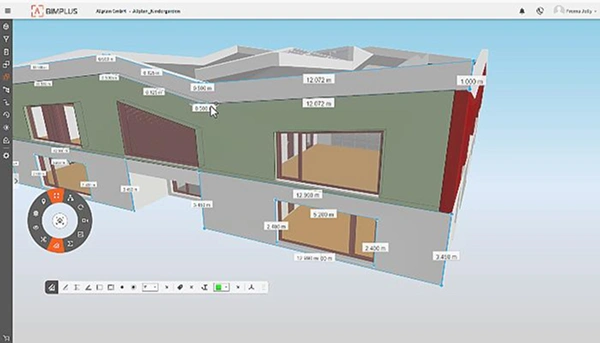
ALLPLAN is a rigid building information modeling software that focuses primarily on design to build. It meticulously allows users to merge structural engineering and modeling into a single environment.
It uses a hybrid drawing structure, which is better compared to Autodesk Revit, and the software utilizes Survey Points from GIS to stop the model from warping.
What Makes it Different?
ALLPLAN is tailored for those who care about physical physics engineers. It also facilitates handling dense, layered steel reinforcing matrices suitable for heavy concrete and civic work.
| Pros | Cons |
| ALLPLAN is more precise and engineered to cater to civic projects | Difficult for students |
| Easy coordination with external software | Runs exclusively on Windows |
| AI visualizer for instant rendering | Complex data hierarchy |
| Automatically carves geometry overlaps |
Final Words
Each of the building information modeling programs has its unique feature that manages the overall construction layout. By making an informed decision and precise evaluation, you can select a BIM software that truly aids your projects.
Filter for the one that truly fits your profile, and then add the SWOT analysis to truly whittle down to a tool that you need.
Read Next: 15 Best Property Management Software in 2026
Which is the best BIM software for an architecture firm?
Is Trimble a full BIM tool?
No, Trimble is a conceptual 3D modeling tool, as it lacks deep data schemas.
How does different BIM software communicate?
They rely on IFC (Industry Foundation Classes), a universal file format that allows teams to export and import building models without compliance issues.
Which BIM software has the best AI automation tool?
Among all the best options, Archicad has the best automation tool that can handle complex algorithms and geometric structural patterns.
Sources: