Ans: An integrated service and asset management software is used for asset optimization. It is an advanced digital tool or solution that assists organizations in tracking, configuring, and managing their resources, consisting of machinery, equipment, and IT assets.
25 Best Asset Management Software for Improved Tracking and Operations
POST BY
PUBLISHED
April 20, 2026
While firms face persistent operational, security, and compliance risks to their resources, robust asset management software significantly helps them in inventory tracking and tool control.
You can simply understand asset management and maintenance software as a digital system designed to identify, manage, and configure an organization’s IT resources.
However, to gain an in-depth understanding of the top 25 platforms and how they assist firms in cost savings and risk reduction, read our detailed article below.
Table of Contents:
- What is Asset Management Software and How Does It Help Businesses?
- Top 5 Advanced Asset Management Software for Enhanced Operational Efficiency
- 20 Additional Recommendations of Asset Management Solutions for Efficient Regulatory Compliance
- What are the Features to Check While Opting for the Best Asset Management Platform?
- Wrapping Up
- FAQs
What is Asset Management Software and How Does It Help Businesses?
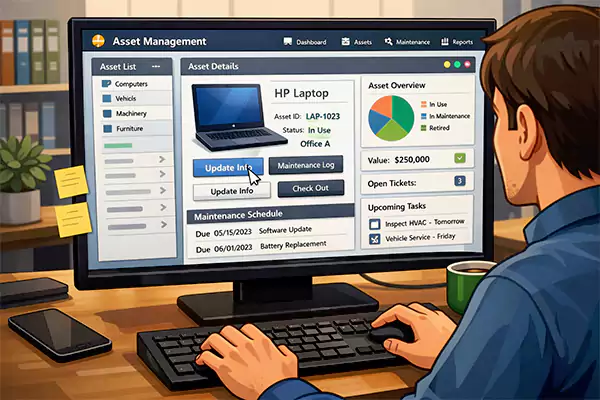
Asset management software refers to the digital solution that serves as a unified platform for monitoring, configuring, and optimizing a firm’s assets or resources. It covers equipment, machinery, and IT infrastructure.
In addition to being a compliance management software, it maximizes the complete asset lifecycle through strategic management from procurement to end-of-life disposal.
This helps enterprises to boost performance efficiency while lowering costs. Beyond this, asset management solutions deliver several key advantages, including:
- Comprehensive Visibility and Control Over Assets: From on-premise infrastructure to cloud resources, it equips firms with the ability to check where the resource is located and the designated person using it. This prevents asset loss and mitigates scattered data.
- Optimal Cost Savings and Risk Reduction: These solutions completely remove the hassle of buying duplicate assets, along with efficient assessment of depreciation value.
With a comprehensive audit report and theft prevention, organizations can operate without asset-related risks.
- Enhanced Maintenance Management and Productivity: As productivity software tends to improve efficiency and output, an asset management platform ensures faster allocation and tracking of assets.
Firms can easily schedule regular servicing and lower expensive downtime concerns.
- Improved Security of Resources and Data-Driven Decision Making: Effectively gathers data about the movement of high-value assets and sets access only for authorized usage.
They also contribute to tracking performance to timely identify inefficient and underutilized resources.
Also Read: 10 Best Language Learning Apps: Tried and Tested by Experts
Top 5 Advanced Asset Management Software for Enhanced Operational Efficiency
From cutting-edge platforms like InvGate to business-trusted solutions like Flexera One and Lansweeper, here are my 5 leading software solutions for asset management.
While these platforms deliver end-to-end resource tracking, they also offer proactive vulnerability and threat mitigation with audit readiness.
1. InvGate
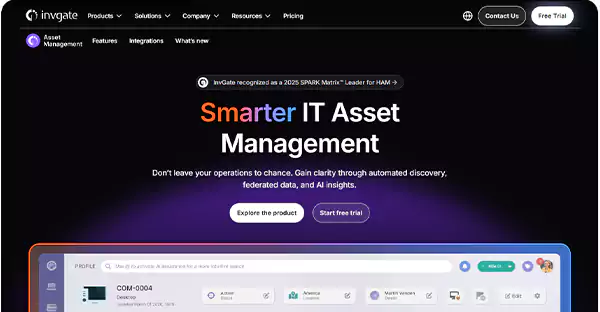
InvGate is my top-tier recommendation for a trusted and advanced asset management software. As it is an integrated service and asset management solution, InvGate contributes significantly to lowering operational costs and improving efficiency.
Why You Should Opt for InvGate:
- Links audit trails to monitor asset history, tracking changes and updates, along with mitigating compliance errors by connecting support tickets to assets.
- Focuses on IT assets, including software license configuration, hardware, enterprise service management, and asset inventory optimization.
- Improves Configuration Management Database (CMDB) development and offers AI-powered dashboards for real-time mapping and creation.
Significant Limitations to Consider:
- It has a complex third-party integration process, and you will require a learning curve to operate.
- The software metering feature is limited to the Pro plan.
2. Lansweeper
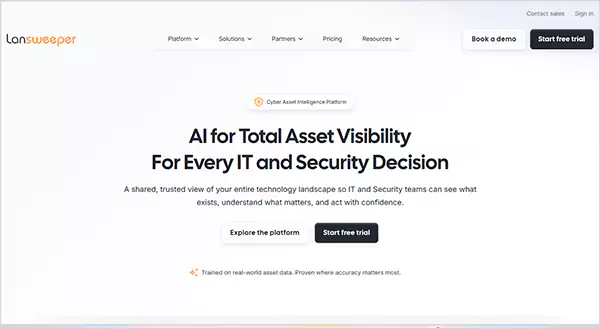
Whether you have to gain access to automated and transparent IT discovery or track redundant assets to lower purchasing expenses, Lansweeper stands as an ideal choice for asset monitoring software.
Why You Should Opt for Lansweeper:
- Its asset discovery features an asset radar tool to monitor devices in real time and generate a risk score to prevent unauthorized network access.
- Assesses detailed asset configurations and provides comprehensive reports to streamline resource optimization.
- Offers software asset management functionality and provides visibility into cloud components, with the option to map them to existing infrastructure.
Significant Limitations to Consider:
- Lacks end-to-end management of the integrated service and asset management lifecycle.
- Several features are restricted to the premium tier, including vulnerability insights and Operational Technology (OT) infrastructure.
3. Freshworks Freshservice
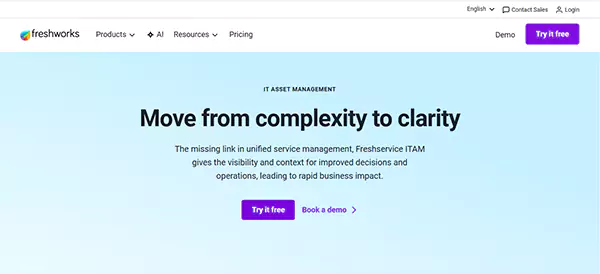
Freshservice is a leading and highly rated asset monitoring platform with a substantial user base. As it offers CMDB dependency mapping and purchase order management features, firms can reduce the complexity of managing and tracking IT resources.
Why You Should Opt for Freshworks Freshservice:
- Serves as an ideal platform for lowering downtime concerns, along with a no-code interface for easy accessibility.
- Offers a scalable layout that adjusts to the firm’s growing needs and efficiently gathers data on resource utilization to check for inefficiencies.
- It is among the cost-effective software that costs just $19/month for its starter plan and allows for complete lifecycle management.
Significant Limitations to Consider:
- If you own a large-scale organization and plan to manage over 100 assets at once, then you will have to pay additional charges.
- The starter plans lack a lot of advanced features and customization options.
4. Eptura Asset (Manager Plus)
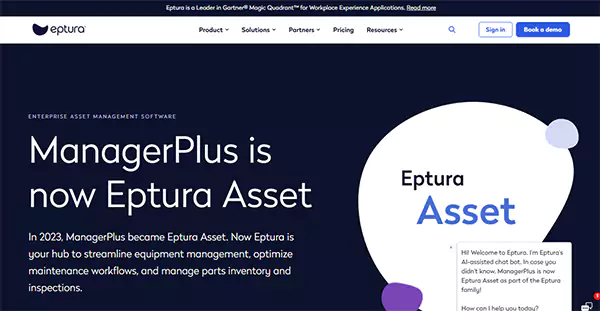
Eptura Asset is a prominent cloud-based (SaaS) asset monitoring, maintenance, and management software. While it assists firms in organizing and configuring all mobile devices through its Mobile Device Management (MDM) tool, you can also generate comprehensive reports with this program.
Why You Should Opt for Eptura Asset:
- Allows for both fixed and facility asset management, along with seamless integration with third-party applications, including Zoho, Service Now, and more.
- Your business can completely erase the sensitive data from the organization’s lost or stolen phones and categorize resources based on vulnerability and data sensitivity.
- Easily creates and monitors work maintenance orders, complemented by the feature of efficient inventory and purchase control.
Significant Limitations to Consider:
- You will face lag and latency concerns sometimes, as the cloud version offers slower performance compared to other asset management systems.
- Its mobile application lacks certain features, such as advanced filtering and support for detailed reports.
5. Flexera One
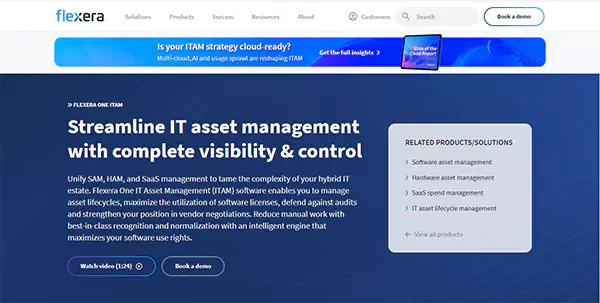
From significant security features to automated discovery and inventory optimization, Flexera One serves as a unified platform that combines ITAM, SaaS, FinOps, and IT visibility to streamline operational efficiency.
Why You Should Opt for Flexera One:
- Offers proactive vulnerability management through updating security patches in outdated systems and reducing risks from the use of unauthorized applications.
- It is a trusted platform by leading B2B SaaS firms worldwide, owing to its risk identification and mitigation capabilities, complemented by optimal cost reduction features.
- Easily assesses cloud resource utilization and calculates the Effective License Position (ELP) for different vendors, contributing to accurate audit reports.
Significant Limitations to Consider:
- Flexera One requires a learning curve to operate, as beginners often face complexities using this advanced software.
- Due to its comprehensive end-to-end functionality, Flexera One tends to be costly, with a subscription price of over $50,000 for mid- to large-scale enterprises.
Also Read: Top 25 Powerful Event Management Software for Seamless Event Execution
20 Additional Recommendations of Asset Management Solutions for Efficient Regulatory Compliance
As I have listed my top 5 suggestions, you can also check out these 20 additional asset monitoring software for tracking license compliance and managing resources from procurement till disposal.
| S. No. | Asset Management Software | Prominent Features | Pricing |
| 1. | AVEVA Enterprise |
| Custom Pricing |
| 2. | Sage Fixed Assets |
| Starts at $300/month |
| 3. | Zluri |
| Starts at $500/month |
| 4. | SAP Asset Manager |
| Starts at $178/month |
| 5. | Atera |
| Starts at $129-$149 per technician/month |
| 6. | NinjaOne |
| $1.50 – $4 per endpoint/month |
| 7. | IBM Maximo |
| Starts at $250 per user/month |
| 8. | Asset Tiger |
| Starts at $20/month |
| 9. | Manage Engine AssetExplorer |
| Starts at $795 for one-time purchase options. |
| 10. | Workwize |
| Starts at $8 per user/month |
| 11. | AssetWorks |
| Starts at $2,500 |
| 12. | SuperOps |
| Starts at $89 per user/month |
| 13. | Deel IT |
| Starts at $29/month |
| 14. | Asset Panda |
| Starts at $3,000/year |
| 15. | ServiceNow IT Asset Management |
| Starts at $150 per user/month |
| 16. | Auvik |
| Starts at $20 per user/month |
| 17. | Device42 |
| Starts at $1,449/year for 100 users |
| 18. | Limble CMMS |
| Starts at $28 per user/month |
| 19. | EZO Asset Sonar |
| Starts at $79.99/month |
| 20. | OfficeSpace |
| Starts at $19,960/year |
What are the Features to Check While Opting for the Best Asset Management Platform?
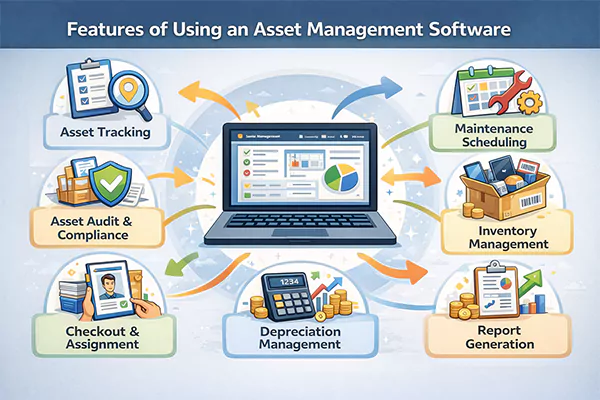
Before you finalize your decision for the purchase of asset management and maintenance software, here are my suggestions for you to make an informed decision.
- Automated Maintenance Operations and Lifecycle Management: It is crucial to opt for software that allows automated scheduling of preventive maintenance. Also, the platform must track asset depreciation to plan timely replacement.
- Unified Asset Tracking and Reporting: Choose a platform that has the potential to maintain a single repository for all resources. The ability to generate customizable reports and assess utilization trends is an added advantage.
- Integration Capabilities and User Access: As your firm will require third-party integrations with CRM, ERP, IT service, and financial platforms, select software that offers significant integration capabilities.
- Mobile Accessibility and Audit Management: To scan barcodes and effectively manage remote access, opt for the software that offers a native mobile app with easy accessibility. With automated audit trails and optimized checklists, businesses can reduce manual efforts and ensure compliance readiness.
Wrapping Up
InvGate, Lansweeper, Freshworks Freshservice, and Flexera One are my leading recommendations for a trusted and enterprise-grade asset management software.
While these platforms allow for real-time visibility and centralized tracking of important resources, they also assess the depreciation and potential risks.
However, ensure that your firm opts for a reliable solution that offers automated discovery tools, mobile accessibility, and lifecycle management. This assists in having a single source of truth for all assets.
FAQs
Q: What software is used for asset management?
Q: What are the top 3 asset management solutions?
Ans: InvGate, Lansweeper, and Freshworks Freshservice are the top 3 platforms that deliver comprehensive features, including software license management, asset discovery tools, and AI-powered dashboards.
Q: Which security benefits can firms gain from asset management software?
Ans: These reliable solutions assist businesses in mitigating cyber attacks through the timely identification of vulnerabilities in hardware and software systems. It also offers role-based access control and streamlined audit trails, along with real-time tracking of physical assets.
Q: Can an asset management platform integrate with on-premises infrastructure and existing systems?
Ans: Yes, asset management and maintenance software can easily integrate with on-premise infrastructure with the help of secure internal network connections.