MD-102 is associated with Microsoft’s Endpoint Administrator certification and covers most of the modern endpoint management concepts and technologies.
MD-102 and the Changing Role of Modern Endpoint Management
POST BY
PUBLISHED
August 11, 2026
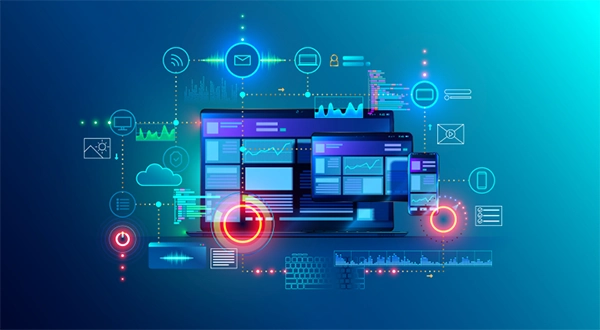
Modern workplaces rely heavily on computers, applications, cloud services, and secure access to business information. Employees may work from offices, homes, shared spaces, or while travelling, making device management even more complex than it was before.
Organizations therefore require professionals who can manage such endpoints effectively while also taking care of security and productivity. The MD-102 exam focuses on such responsibilities connected with managing device applications in such environments.
This article outlines its importance and how the exam provides an interesting way to explore endpoint management, device configuration, security, and more.
Table of Contents:
- Understanding Endpoint Management
- The Evolution of Device Administration
- Microsoft Intune
- Device Enrollment
- Device Configuration
- Application Management
- Security and Endpoint Protection
- Identity and Access
- Compliance Policies
- Windows Device Management
- Device Updates
- Device Lifecycle Management
- Remote Work and Endpoint Administration
- Endpoint Analytics
- The Professional Role of an Endpoint Administrator
- Career Opportunities
- Conclusion
- Frequently Asked Questions
Understanding Endpoint Management
An endpoint is a device that connects to an organization’s technology environment.
Examples include:
- Desktop computers
- Laptops
- Tablets
- Smartphones
- Specialized business devices
Endpoint management involves controlling and maintaining these devices throughout their lifecycle.
Administrators may be responsible for configuring devices, deploying applications, applying policies, monitoring compliance, and assisting users in resolving various technical issues.
Modern endpoint management increasingly relies on cloud-based technologies.
The Evolution of Device Administration
Traditional device management often depended on computers being connected to an organization’s internal network.
Modern organizations frequently have employees working remotely or using devices outside corporate offices.
Cloud-based endpoint management allows administrators to manage devices without requiring every device to remain physically connected to an internal network.
This approach can make device administration more flexible and suitable for distributed workforces.
Microsoft Intune
Microsoft Intune is a cloud-based service used for managing devices, applications, and organizational policies.
It supports device management across different platforms and helps organizations establish better security and configuration standards.
Intune can be used for tasks involving:
- Device enrollment
- Configuration policies
- Application management
- Compliance policies
- Security settings
- Device monitoring
Its cloud-based nature allows administrators to manage devices from a centralized environment.
Device Enrollment
Before an organization can manage a device, the device generally needs to be associated with its management environment.
Enrollment establishes a relationship between the device and the organization’s management system.
This process can vary depending on the device platform and organizational requirements.
Effective enrollment helps administrators apply appropriate configurations and security policies.
Device Configuration
Organizations often need devices to follow specific configuration standards.
Administrators can use management policies to establish settings across groups of devices.
Configuration requirements may include:
- Security settings
- Password policies
- Wi-Fi settings
- VPN configuration
- Application restrictions
- Browser settings
- System preferences
Centralized configuration can reduce the need to manually configure each individual device.
Application Management
Employees depend on applications to perform their daily work.
Organizations may need to distribute approved applications, update existing software, and restrict applications that create security or compliance concerns.
Endpoint administrators can use management technologies to control how applications are deployed and maintained.
Application management can also help ensure employees have access to the software required for their specific roles.
Security and Endpoint Protection
Endpoint security has become increasingly important.
A compromised laptop or mobile device can potentially provide attackers with access to business information and organizational resources.
Security measures may include:
- Malware protection
- Firewall policies
- Encryption
- Secure authentication
- Device compliance
- Application controls
Endpoint administrators therefore play an important role in the broader cybersecurity strategy of an organization.
Identity and Access
Device management is closely connected to identity management.
Users need appropriate accounts and permissions to access organizational resources.
Microsoft environments can connect with endpoint management identity technologies, enabling organizations to establish relationships between users, devices, applications, and resources.
Strong identity controls can reduce the risk of unauthorized access.
Compliance Policies
Organizations often establish requirements that devices must satisfy before accessing certain resources.
A compliance policy can evaluate whether a device meets specified conditions.
Examples may involve:
- Security configuration
- Encryption
- Password requirements
- Operating system status
- Device health
Compliance information can then contribute to access decisions and organizational security policies.
Professionals researching endpoint management, Microsoft Intune, device administration, cloud security, and related Microsoft technologies can view this page for additional educational information and resources.

Windows Device Management
Windows devices remain common in business environments.
Organizations may manage Windows computers using centralized cloud-based tools and policies.
Administrators can control operating system settings, applications, security configurations, updates, and access requirements.
Modern Windows management can also integrate with broader Microsoft cloud services.
Device Updates
Keeping operating systems and applications updated is an important part of endpoint management.
Updates can provide:
- Security fixes
- Performance improvements
- Bug corrections
- New functionality
However, enterprises may need to consider compatibility and business needs before deploying updates broadly.
Administrators may use deployment policies to control how and when updates are installed.
Device Lifecycle Management
Endpoint administration involves more than initial setup.
Devices pass through several stages:
- Procurement
- Enrollment
- Configuration
- Daily use
- Maintenance
- Replacement
- Retirement
Organizations need processes for each stage.
When a device reaches the end of its useful life, administrators may need to remove organizational information and ensure that the device is properly retired.
Remote Work and Endpoint Administration
Remote work has changed the expectations placed on IT departments.
Employees may work from locations where traditional IT support is not immediately available.
Cloud-based endpoint management helps administrators perform many management tasks remotely.
This improves operational efficiency and enables organizations to support distributed employees more effectively.
Endpoint Analytics
Modern management platforms can provide information about device performance and user experience.
Analytics can help organizations identify:
- Slow devices
- Application problems
- Performance issues
- Configuration problems
- User experience concerns
Data-driven endpoint management allows IT teams to focus attention on the areas that have the greatest operational impact.
The Professional Role of an Endpoint Administrator
Endpoint administrators are responsible for maintaining a balance between usability, security, and organizational requirements.
They may work closely with:
- Security teams
- Network administrators
- Cloud engineers
- Help desk staff
- Application teams
- Business managers
Communication is therefore an important part of the role.
Technical decisions also greatly impact employees across the whole organization, so administrators need to understand both technical requirements and business needs.
Career Opportunities
Knowledge associated with MD-102 can contribute to several technology roles.
Potential positions include:
- Endpoint Administrator
- Microsoft 365 Administrator
- Systems Administrator
- Desktop Administrator
- IT Support Specialist
- Device Management Specialist
Professionals can also combine endpoint management knowledge with cybersecurity, cloud administration, identity management, and Microsoft 365 expertise.
Conclusion
MD-102 represents an important area of modern endpoint administration. As organizations increasingly depend on cloud services, remote work, and distributed devices, traditional approaches to device management are evolving.
Modern endpoint administrators need to understand device enrollment, configuration, application management, security, compliance, identity, updates, and lifecycle management. Cloud-based platforms such as Microsoft Intune provide centralized capabilities that can simplify many of these responsibilities.
Endpoint management is also closely connected to cybersecurity. Properly configured and monitored devices can help reduce security risks while providing employees with the tools they need to remain productive.
From an educational perspective, the concepts associated with MD-102 display how modern IT departments are adapting to evolving workplace environments. As organizations continue to integrate cloud technologies and support employees across multiple locations, professionals with strong endpoint management and security knowledge will stay valuable members of modern IT teams.
Frequently Asked Questions
What is MD-102?
What is endpoint management?
Endpoint management involves configuring, securing, monitoring, maintaining, and managing devices used within an organization.
What is Microsoft Intune?
Microsoft Intune is a cloud-based service that organizations can use to manage devices, applications, configurations, and compliance.
Why is device security important?
Endpoints can contain sensitive information and provide access to organizational systems, making their security an important part of overall cybersecurity.