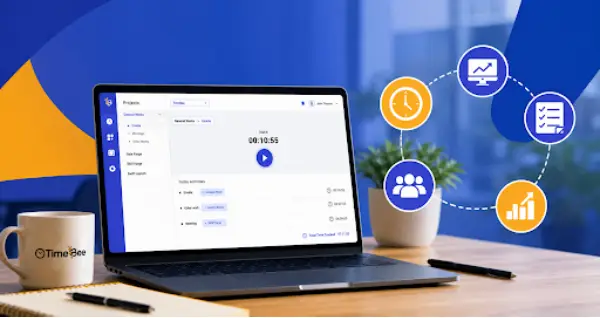
TimeBee records working hours and links them with projects, attendance, activity information, billing, payroll, and cost reports.
What Is TimeBee.app? Understand Who It Is For And What It Offers
POST BY
PUBLISHED
July 30, 2026
Simply keeping a watch on log-in and log-out timings is something that cannot guarantee you productivity.
It rather remains just one side of the entire picture. Project leaders also need to understand how the hours are spent in the office, which assignments consume maximum work hours, and what factors demand more labour effort.
In this situation, TimeBee.app. an employee time tracking and productivity software, consolidates these functions by bringing together time, attendance and digital activity.
Table of Contents:
- What Is TimeBee.app?
- Why Teams Use TimeBee?
- Who Is TimeBee For?
- What TimeBee Offers?
- How Does TimeBee Connect Time, Activity, and Project Costs?
- Potential Benefits Of Using TimeBee
- What TimeBee Data Can And Cannot Tell Managers?
- Responsible Use Of Employee Monitoring Software
- Final Thoughts
- Frequently Asked Questions
What Is TimeBee.app?
TimeBee.app is a time-tracking platform that captures working hours and associates them with projects, tasks, attendance, billable rates, payroll inputs, screenshots, idle periods, and website or application usage.
It occupies the middle ground between a basic time clock and broader project management software. However, it does not replace scope planning, dependency management, or delivery governance.
The main purpose of this software is to deliver operational-level data to help managers understand how time and labor costs relate to active work.
Why Teams Use TimeBee?
Manual timesheets mostly struggle and have a ton of reasons behind this failure. People forget entries, reconstruct a week from memory, choose the wrong project code, or can even omit short pieces of client work.
Such gaps can have considerable impacts across domains such as payroll, invoices, project forecasts, and capacity decisions.
Add to that remote and hybrid work, and visibility becomes even more critical. A manager may see completed tasks but can still lack visibility into attendance and allocated time to chunks of work.
TimeBee provides those logs, so it becomes easier to investigate discrepancies before they become billing disputes or delivery problems.
Who Is TimeBee For?
TimeBee is most useful where hours contributed by the employees can potentially affect project cost, client billing, payroll, staffing, or service delivery. Likely users include:
- Remote and hybrid teams who need records that are uniform across different locations.
- Agencies and service businesses allocating hours to clients or deliverables.
- Freelancers and contractors requiring verifiable billable-time records.
- BPO and outsourcing teams who are in need of a centralized platform to manage shifts and attendance.
- Software and IT teams evaluating effort across development, support, and infrastructure work.
- Managers responsible for workloads, deadlines, utilization, and cost analysis.
It may be less suitable for very small teams or roles measured entirely by outputs.
What TimeBee Offers?
TimeBee’s official materials outline a broad set of tracking and reporting functions:
- Time Tracking and Timesheets: Hours can be logged through timers, automatic capture, offline tracking, or manual entries.
- Project and Task Tracking: Logged time can be allocated to projects, tasks, users, or clients.
- Screenshots or Screen Records: Administrators can configure scheduled visual records while tracking is active.
- Website and App Monitoring: Consolidated reports show time spent in applications and websites, with configurable categories.
- Activity and Idle-Time Visibility: The system can identify periods and send distraction alerts when it doesn’t detect keyboard or mouse activity for a specified period of time.
- Attendance Tracking: These records can cover start and finish times, absences, leave, breaks, late arrivals, early leaves, and even overtime.
- Productivity Reports: Via categorized apps, TimeBee collects data and shows the amount of productive, unproductive, or neutral time an employee has spent.
- Billable and Non-Billable Hours: TimeBee allows you to distinguish chargeable work from internal time to reflect the contributed time into direct profitability.
- Payroll, Billing, and Invoicing Support: Recorded hours and configured rates can facilitate calculations.
- Project-Cost Reporting: TimeBee links billable hours, assigned rates, and task effort to forecast the cost of a project.
These functions overlap with productivity software, but their value depends on configuration.
How Does TimeBee Connect Time, Activity, and Project Costs?
Over more than 10 years dealing with infrastructure projects, I have learned that raw time data becomes more valuable when managers can connect those hours to specific tasks, changes, risks, and deliverables.
TimeBee tend to offer support for that process by letting employees record time against assigned work while capturing the attendance or activity data the organization has chosen to enable. Hourly rates can then convert that time into labor costs, payroll amounts, or client charges.
You can consider a project estimated at 100 hours that ultimately goes up to 125. In such a case, it is a 25% overrun, but the number alone does not explain what happened. The extra time may have resulted from an approved scope change or repeated defect fixes.
Personally, when I encounter such situations, I begin with a review of the overrun against the change log, risk register, defect history, task completion records, and resource assignments.
For example, if 15 of those 25 additional hours followed a client-requested change and another 10 were tied to defect remediation, the overrun instantly becomes easier to explain and address.
Potential Benefits Of Using TimeBee
When implemented carefully, employee time tracking and productivity software can strengthen several routine controls:
- More accurate payroll records
- Stronger support for client invoices
- Improved visibility into project overruns
- Enhanced workload and capacity planning
- Fewer reconstructed and corrected timesheets
- Historical data for future forecasts
- Better separation of billable and non-billable effort
It may also reveal workflow fragmentation. Microsoft’s 2025 Work Trend Index found that employees in its analyzed data were interrupted by a meeting, email, or message every two minutes on average.
Activity reporting should therefore help managers assess meeting load, tool switching, and unclear priorities, not merely scrutinize individuals.
Where wider process problems exist, a tracker may need to work alongside workflow management software rather than replace for process design.
What TimeBee Data Can And Cannot Tell Managers?
TimeBee data can indicate when time was recorded, which project received it, which applications were active, and whether a cost or attendance pattern needs attention. It can also compare estimated effort with recorded hours.
Now, when it comes to what it cannot do, it cannot determine work quality, task complexity, creative contribution, customer impact, or employee commitment. Reading documentation, thinking through architecture, attending a call, or diagnosing an intermittent fault may generate little keyboard activity while remaining essential work.
This is why Asana’s survey reports that 58% of employees spend their workday on “work about work”. This refers to activities such as coordinating tasks, communicating about assignments, and searching for information.
Responsible Use Of Employee Monitoring Software
Numbers become more useful when managers can understand what sits behind them. In the projects I manage, I rarely review recorded hours as an isolated figure.
For me, comparing them with the assigned task, project phase, delivery deadline, meeting schedule, resource plan, and actual work performed is more important.
In my experience with TimeBee, its contextual reporting has helped me in applying this thought.
Instead of showing only that an employee recorded eight hours, it links those hours with a specific project or task, the applications used, attendance records, billable status, and related labor costs.
For example, once, a 12-hour recording against a task originally estimated at eight hours immediately attracted my eye. I reviewed the reports to see where those hours were assigned and how they affected project cost.
I then compared the four-hour variance with scope changes, defect records, client requests, or dependency delays and determined whether the estimate needed to change or the workflow needed attention.
Final Thoughts
TimeBee is best understood as a work-visibility platform that can integrate time, activity, attendance, billing, and project cost. For teams managing hourly work, such employee time tracking and productivity software strengthens operations via contextual reports.
However, it should not become a way to measure employee value. In a nutshell, if used transparently, it can inform better questions, but if used without context, the same data can lead to further confusion.
Frequently Asked Questions
What is TimeBee.app Used For?
Is TimeBee Only For Remote Employees?
No. It may suit remote, hybrid, office-based, freelance, contractor, and decentralized service teams where accurate time or project records matter.
Does TimeBee Take Employee Screenshots?
Screenshot capture is available for monitored work periods. Organizations should use it only with a defined purpose, employee awareness, and suitable privacy controls.
Can TimeBee Track Billable Hours?
Yes. TimeBee tracks billable hours and even distinguishes them from non-billable ones. Based on these tracked hours, it also calculates payroll.
Is Employee Monitoring With TimeBee Legal?
There is no single answer. Legality depends on jurisdiction, lawful basis, transparency, proportionality, employment rules, security, and the information collected.