Ans: Homestyler, IKEA Kitchen Planner, Room Sketcher, Foyr Neo, and Planner 5D are among the widely used and recommended kitchen and bathroom design software programs.
20 Ultimate Kitchen Design Software To Elevate Your Kitchen Aesthetics (Free + Paid)
POST BY
PUBLISHED
December 31, 2025
Whether you are remodeling your kitchen or you are planning to enhance your kitchen and bathroom appearance, a kitchen design software can assist you in effectively building floor plans and visualizing them in 3D modes.
Since these software programs are similar to graphic design software, both beginners and designers can significantly benefit from upgrading the layout of their kitchen and living space.
Furthermore, a professional kitchen design software app offers thousands of materials, furniture, appliances, cabinets, and 3D objects for hassle-free designing and visualization.
Table of Contents:
Top 15 Free Kitchen Design Software For Enhancing Your Kitchen’s Appearance
Since the internet has an abundance of free kitchen design software, I have tested several options to curate a detailed list of the 15 best software for kitchen design. Check out the complete list below:
1. Homestyler
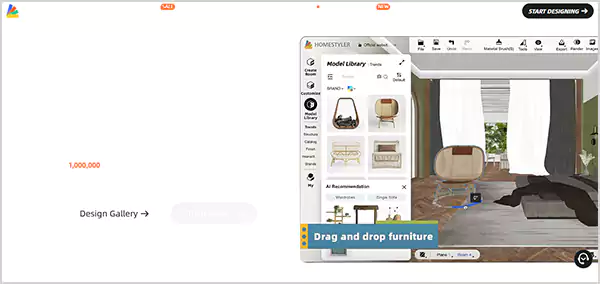
Homestyler is my leading recommendation for free kitchen design software, owing to its substantial features that allow 2D or 3D floor planning, along with high-quality image rendering and a vast model library.
How to Download and Use Homestyler:
- Visit the official Homestyler Website and download the app.
- Select the tool and model accessory according to your preferred tasks.
- Take the help of tutorials or guides available on the platform and begin your kitchen design.
Why I Recommend Homestyler:
- It’s an easy-to-use platform that will assist you in each step for better planning of your kitchen design.
- You will be getting a vast range of over 3000 real-sized furniture and accessories.
- Has impressive and effective AI tools that assist in the design and visualization process.
What I Disliked:
- For seamless access to all its features, you will need to avail yourself of its premium plans.
- Some users have faced frequent technical glitches.
2. IKEA Kitchen Planner
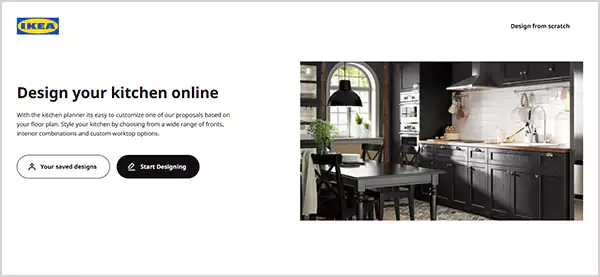
If you are searching for the most popular and widely used free kitchen planning software, opt for IKEA Kitchen Planner, as it delivers optimal performance and allows users to sign up for free to store their ideas.
How to Download and Use IKEA Kitchen Planner:
- Visit the official IKEA Kitchen Planner website.
- Simply click on ‘Start Designing’ and begin customizing any of its proposals.
- You can check all of your ideas in the Your Saved Designs section.
Why I Recommend IKEA Kitchen Planner:
- No need to download any separate app, as you can design on the website itself.
- You can configure the layout of your furniture and kitchen equipment.
- Project quotes, measurements, and structural features make designing simple.
What I Disliked:
- It lacks versatility, as you can only design a limited number of sections of a kitchen with this website.
- The design features are limited compared to other kitchen builder software.
3. Room Sketcher
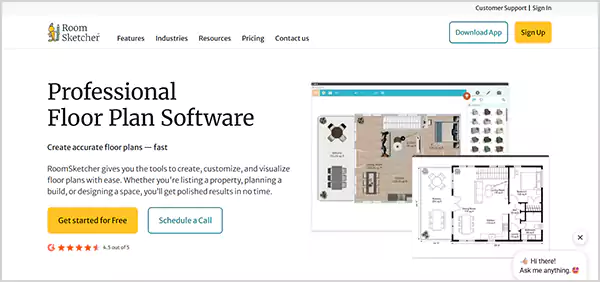
With an intuitive interface and comprehensive features, Room Sketcher makes it to my list of the best kitchen design software, which you can use for visualizing and drawing 2D/3D floor plans.
How to Download and Use Room Sketcher:
- Visit the official Room Sketcher website and download the app.
- Choose your desired tool and start working on your floor plan.
- You can test various floor plans and add furnishings based on preference.
Why I Recommend Room Sketcher:
- Has easy navigation and a simple layout for enhanced accessibility.
- You can also order floor plans and trace the blueprint of an existing plan.
- Replacing materials and its substantial furniture library assists in better visualization.
What I Disliked:
- Once you start working on big and complex projects, the app often lags.
- The rendering is slower, especially for 3D models.
4. SketchUp

SketchUp is among the best kitchen design software programs that I have used for developing the layout of my kitchen through its 2D/3D design models, along with its additional inventory of templates.
How to Download and Use SketchUp:
- Visit the official SketchUp website and sign up using your email address.
- Upload your model, sketch, or draft and start designing.
- You can additionally choose a template for further customization.
Why I Recommend SketchUp:
- Has one of the largest catalogs of 3D objects and models.
- Doesn’t require the installation of any app.
- Offers cloud storage along with the option to design in imperial or metric measurements.
What I Disliked:
- You get access to a limited catalog of templates with its free version.
- The app requires a learning curve for beginners.
5. Planner 5D
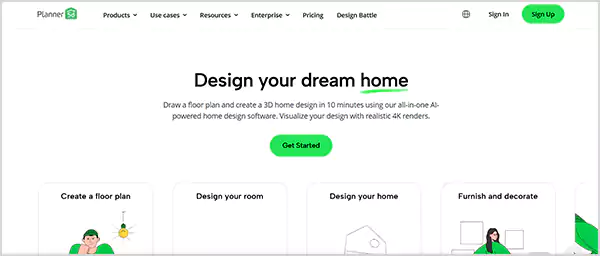
Planner 5D is a comprehensive kitchen and bathroom design software that you can use for planning the design of your home, along with creating a floor plan and decoration ideas.
How to Download and Use Planner 5D:
- Visit the official Planner 5D website and use your email address for sign-up.
- Select your preference and start working on a floor plan, home, or room design.
- You also have the option to furnish and decorate your kitchen and home.
Why I Recommend Planner 5D:
- Delivers optimal performance with minimal lags, even on complex projects.
- You have the option to plan and design both the interior and exterior of your home.
- Among the best kitchen drawing software due to its comprehensive AI tools.
What I Disliked:
- Most of its features require a subscription.
- Certain design tools are complex to use for non-professionals.
6. Kitchen Planner
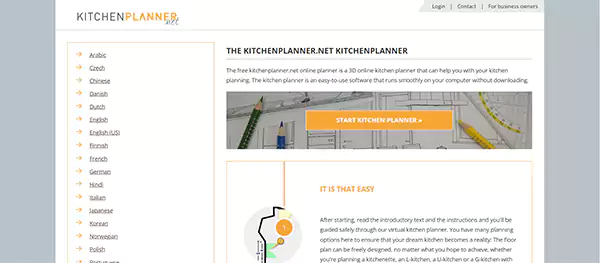
Whether you wish to work on a 2D floor plan with precise dimensions or a 3D high-quality rendered design, the Kitchen Planner software free is an optimal choice with a captivating interface and significant features.
How to Download and Use Kitchen Planner:
- Visit the official Kitchen Planner website and click on Start Kitchen Planner.
- Choose the layout of your kitchen.
- Choose a suitable floor plan and start designing.
Why I Recommend Kitchen Planner:
- No need for sign-up and installation of any app for designing.
- Easy to use and beginner-friendly interface.
- You can edit the room elements, windows, door, heater, and much more in this kitchen and bath design software.
What I Disliked:
- Lacks certain advanced designing tools and models.
- Has limited features compared to other free kitchen cabinet design software.
7. RoomStyler

Need an app with an intuitive layout that offers powerful design tools? Then RoomStyler is my recommendation, as I have used this free kitchen design software to style my kitchen with minimal effort.
How to Download and Use RoomStyler:
- Visit the official RoomStyler website and sign up using your email address.
- Start designing your single room or your complete house floor plan.
- You can also choose a template from its popular designs section.
Why I Recommend RoomStyler:
- Easy-to-use kitchen planning software that has significant design tools.
- You can get engaged in its community features and design contests.
- A dedicated mood board creation tool for optimal visualization of concepts and ideas.
What I Disliked:
- Requires a learning curve as its features could be challenging for beginners to understand.
- Lacks certain advanced features in the free version.
8. Renuit Kitchen Restyling
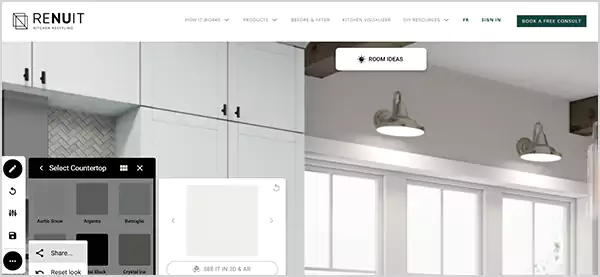
Renuit Kitchen Restyling is a substantial platform for building low-scale remodelling design projects, as it offers essential features required to elevate your kitchen aesthetics with 2D/3D design models.
How to Download and Use Renuit Kitchen Restyling:
- Visit the official Renuit Kitchen Restyling website and open the Kitchen Visualizer section.
- Use the design features on the left and begin styling your kitchen.
- Click on Room Ideas to access existing templates.
Why I Recommend Renuit Kitchen Restyling:
- Similar to the photo editing softwares, it has a wide range of templates for customization.
- Provides the options for checking the design layout in 3D and AR.
- You can save and even share your design with other users.
What I Disliked:
- Certain essential design features are missing.
- Has a limited inventory of materials and design tools.
9. HomeByMe

HomeByMe is an ideal kitchen design software app due to its potential for building your room and kitchen layout in 2D mode, and adding several materials and furniture in the 3D view mode for curated planning.
How to Download and Use HomeByMe:
- Visit the official HomeByMe website and sign up using your email address.
- Start designing your kitchen in 2D mode.
- You can also add elements in 3D, along with visualizing in 4K images.
Why I Recommend HomeByMe:
- Runs a tutorial in the beginning that assists beginners in developing floor plans.
- Offers customization of textures in your design elements.
- Has several comprehensive features that you won’t find on other free software for kitchen design.
What I Disliked:
- I often encountered slower rendering times on certain projects.
- The free version has a few bugs and stability issues.
10. MSI Multi-Surface Visualizer
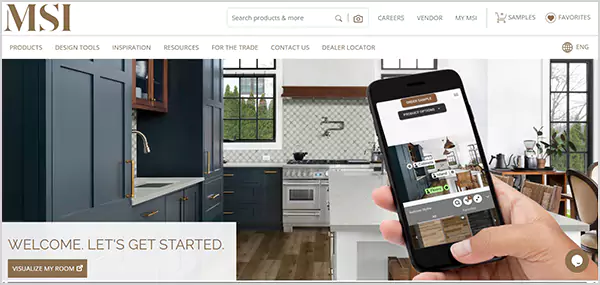
MSI Multi-Surface Visualizer is my top recommendation for users searching for a kitchen builder software with AR-powered tools for easy and quick customizations with a hassle-free designing process.
How to Download and Use MSI Multi-Surface Visualizer:
- Visit the MSI Multi-Surface Visualizer website and click on Visualize My Room.
- Upload your room image and start designing.
- You can also choose a demo room photo available on the website.
Why I Recommend MSI Multi-Surface Visualizer:
- You have the option to upload your room photo for enhanced customisation ideas.
- It allows for quick and real-time rendering.
- You can change the cabinet colours, walls, furniture, decor, and much more with this software kitchen design free.
What I Disliked:
- Great for visualisation, but lacks several design tools.
- I face certain light and color inconsistencies during customizations.
11. Home Stratosphere
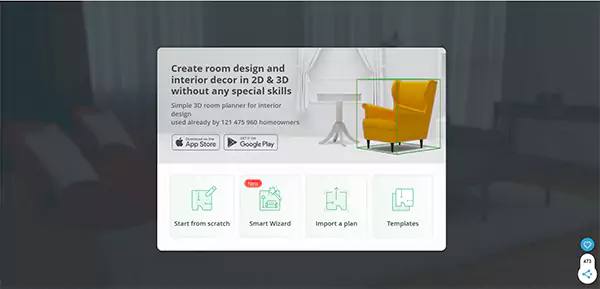
As mentioned on its homepage, Home Stratosphere is an easy-to-operate kitchen design software app that doesn’t require any special skills for designing and modifying your kitchen and room layouts.
How to Download and Use Home Stratosphere:
- Visit the official Home Stratosphere website and download its app on your mobile.
- Upload your existing layout for customization.
- Choose from a wide range of templates and elements for adding design elements.
Why I Recommend Home Stratosphere:
- Offers a comprehensive tools and elements library, along with a beginner-friendly interface.
- Has options for designing both interiors and exteriors.
- You will get various advanced features that are missing in other free kitchen design software.
What I Disliked:
- While I tried to customize certain cabinets, their advanced features demanded a subscription.
- The layout seems outdated with complex navigation.
12. Online Backsplash Designer
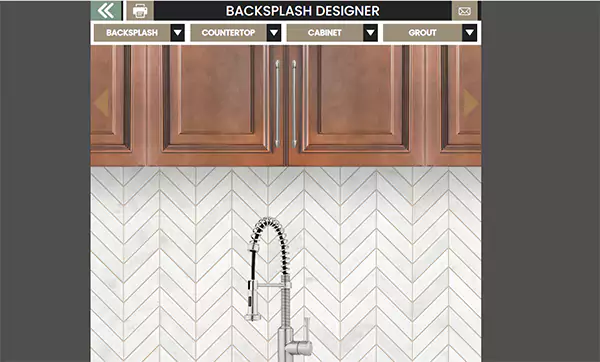
For preparing a quick and simple layout of your kitchen, I recommend opting for the Online Backsplash Designer, as it is a comprehensive tool for non-professionals to easily prepare and load their designs.
How to Download and Use Online Backsplash Designer:
- Visit the official Online Backsplash Designer website.
- Select from any of the Backsplash, Countertop, Cabinet, and Grout options.
Why I Recommend Online Backsplash Designer:
- Doesn’t require the installation of any apps or signing up.
- You can try out several creative combinations on this kitchen design software free.
- Features the option to save and share designs on other social media platforms.
What I Disliked:
- Possesses a limited catalogue of design tools.
- You can’t design both the interior and exterior on the Online Backsplash Designer.
13. Sweet Home 3D
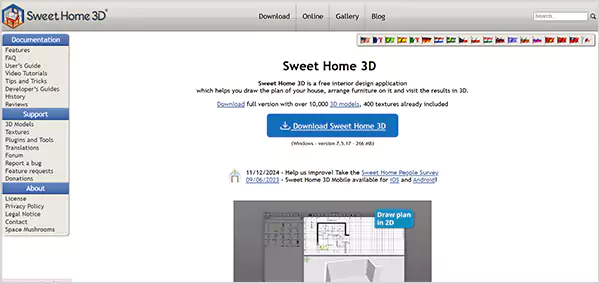
When I had to work on detailed projects of room and kitchen layouts, I always opted for Sweet Home 3D, which is a comprehensive kitchen design software app for designing with accurate measurements.
How to Download and Use Sweet Home 3D:
- Visit the official Sweet Home 3D website and download its app on your device.
- Start drawing your kitchen or room layout in 2D mode.
- You can visualize your developed project in a 3D version later.
Why I Recommend Sweet Home 3D:
- You can quickly render your project in 3D after developing in 2D mode.
- Unlike other free kitchen design software, you have the option to measure equipment in 3 ft. and 6 ft.
- Sweet Home 3D is available in multiple languages and in different regions.
What I Disliked:
- To access more furniture designs, you will have to avail the subscription.
- The app lacks a tutorial video or guide to help beginners.
14. Principal Kitchens Home Hardware
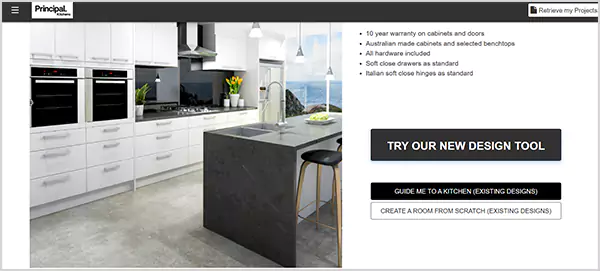
The Principal Kitchen 3D design tool is an efficient and convenient kitchen cupboard design software free to use. Despite being free software, it offers several advanced features along with templates to assist non-professionals.
How to Download and Use Principal Kitchens Home Hardware:
- Visit the official Principal Kitchen website and click on Create A Room From Scratch.
- Begin designing by selecting your preferred tools.
- You can also save and retrieve your previously made designs.
Why I Recommend Principal Kitchens Home Hardware:
- With an intuitive interface, designing becomes simple, even for non-professionals.
- You can check your design from different angles in both 2D and 3D modes.
- Offers various structural design features.
What I Disliked:
- You can not design your complete room with this kitchen planning software.
- Rendering is slower for complex projects.
15. Caesarstone’s Virtual Kitchen Visualizer
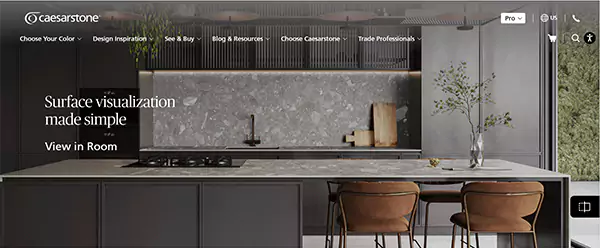
The last recommendation on my list of free kitchen design software is Caesarstone Virtual Kitchen Visualizer, which is great for beginners to upgrade the style of their kitchen effortlessly. In addition, it allows for visualization in 3D mode for better implementation of ideas.
How to Download and Use Caesarstone Virtual Kitchen Visualizer:
- Visit the official Caesarstone Virtual Kitchen Visualizer website.
- Either upload your room photo or click on Pick a demo space.
- Start planning your kitchen layout by selecting an ideal design tool.
Why I Recommend Caesarstone Virtual Kitchen Visualizer:
- Simple to operate software that doesn’t require a learning curve.
- You get access to substantial design tools required for preparing a layout in different modes.
- Has 5 unique templates to ease the process for beginners.
What I Disliked:
- Has a limited library of design tools for professionals.
- You can not design and visualize your room and house with this kitchen bath design software.
Also Read: 15 Best Property Management Software in 2026
Top 5 Paid Kitchen Design Software Apps for Professionals
While free kitchen design software offers a comprehensive platform for beginners, professionals, and designers will often face certain restrictions in these free versions with complex projects.
Nevertheless, you can check the 5 best professional kitchen design software that deliver substantial performance below:
1. AutoCAD
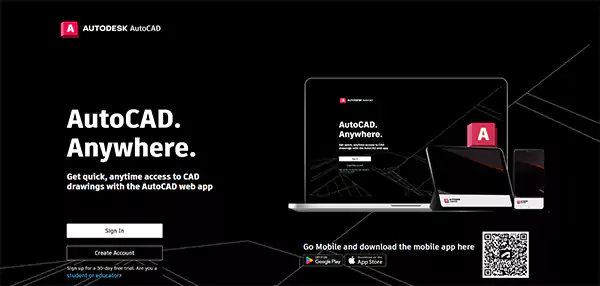
AutoCAD is a comprehensive professional kitchen design software that allows drafting, remodelling, visualizing, and effectively designing your kitchen and rooms to give them an enhanced visual appeal.
| Subscription Price | Starts at $260/month |
Why I Recommend AutoCAD:
- You can design your kitchen layouts with accurate dimensions and measurements.
- Impressive community features to collaborate with other designers.
- You have the option of drafting in 2D models, then further rendering them in 3D.
- Offers thousands of catalogues to choose from, which makes designing pretty simple, even for non-professionals.
What I Disliked:
- Expensive software if you are using it just for kitchen designing.
- Requires optimal storage and substantial device hardware for using AutoCAD.
2. Foyr Neo
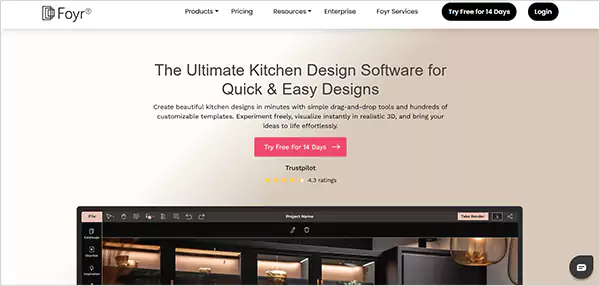
If you are looking for professional kitchen design software that is highly rated and well-liked by both design experts and beginners, then Foyr Neo is my recommendation for 3D visualization and high-quality designs.
| Subscription Price | Starts at $39/month |
Why I Recommend Foyr Neo:
- You can design live on this platform in both 2D and 3D modes.
- Possesses one of the largest libraries of various catalogues, templates, textures, components, and much more.
- Its drag-and-drop feature will ease your design process.
- Along with the 3D and 360° walkthroughs, you can also visualize your design in 4K.
What I Disliked:
- If you wish to render unlimited designs, you have to opt for its premium plans.
- You might sometimes face performance and rendering issues.
3. 2020 Spaces Design Live
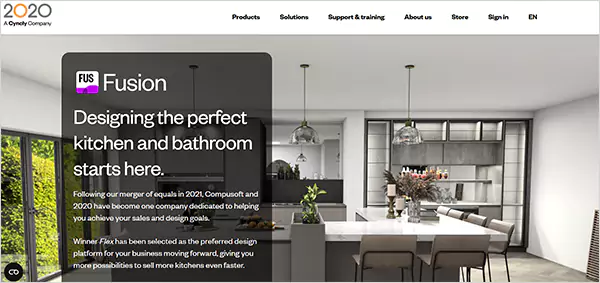
2020 Spaces Design Live is the leading kitchen design software that has a vast library of templates, models, and design tools, along with simultaneous rendering features for professional and detailed design work.
| Subscription Price | Starts at $995/year |
Why I Recommend Design Live:
- You can access different textures, colors, panels, and equipment, and design according to preferred concepts.
- Serves as the best app for designing your kitchen, bathrooms, and other rooms.
- It offers unique manufacturer catalogues that you won’t find on kitchen cabinet design software.
- Delivers real-time rendering, along with options to monitor time and invoices of clients.
What I Disliked:
- I faced lag issues and performance delays on certain projects.
- It lacks quality customer support for quick resolution.
4. Cedreo
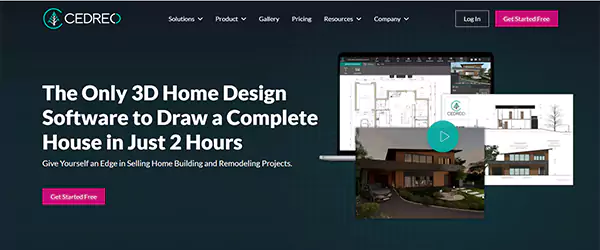
If I have to recommend a kitchen design software app with optimal design tools complemented by instant 3D renders and precise measurements, Cedreo will be the leading suggestion for both professionals and beginners.
| Subscription Price | Starts at $79/month |
Why I Recommend Cedreo:
- It offers a free version for basic designing and drawing of floor plans.
- You can access thousands of furniture, textures, equipment, 3D objects, and much more.
- Has an impressive customer support for the rapid resolution of concerns.
- Renders 3D designs and objects quickly without any lag or performance issues.
What I Disliked:
- The app features a limited library of customizations and catalogues.
- If you are using the free version, you will not be able to access several essential features.
5. Chief Architect Interiors
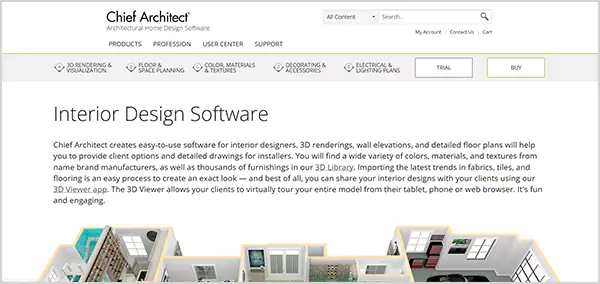
Chief Architect Interiors is a significant design tool that allows for enhanced designing and visualization of both 2D and 3D concepts, complemented by a substantial library of templates and furniture.
| Subscription Price | Starts at $229/month |
Why I Recommend Chief Architect Interiors:
- You can develop automatic floor plans with precise measurements.
- It boasts a wide range of cabinets, furniture, appliances, windows, equipment, and much more.
- Offers the option for remodelling and redesigning your existing projects.
- Comprehensive kitchen and bathroom design software for generating projects on permit applications.
What I Disliked:
- It can be complex for non-professionals and beginners to use.
- I often faced software glitches, along with loading issues.
Also Read: 10 Best Free Music Making Software for Beginners and Pros
How To Choose The Ideal Kitchen Layout Software?
While several kitchen cabinet design software programs offer an intuitive layout and comprehensive features, choosing the ideal one becomes complex. However, ensure that the software is easy to use while offering 2D and 3D modes for visualization.
- Easy-to-operate software: Opt for a kitchen layout software that doesn’t require a complex learning curve to operate and provides necessary tutorial videos and guides.
- Offers 2D and 3D visualization: For precise planning and measurements, the kitchen cupboard design software must offer 2D mode for floor plans and 3D visualization, complemented by a library consisting of various 3D objects.
- Must have a vast range of templates: For simple customization and designing of your kitchen plans, the kitchen design software must possess a wide range of templates and catalogues.
- Provides various product libraries: You must choose a software for kitchen design that has a substantial product library of materials, components, furniture, textures, colors, cabinets, equipment, and appliances.
- Delivers optimal performance: Select the best kitchen drawing software that has optimal performance capability and doesn’t face lag and latency issues, especially during complex projects.
Also Read: What is the AI SaaS Product Classification Criteria? Importance, Challenges & More
The Final Verdict
If you are searching for kitchen design software that is free to use and offers comprehensive design tools, you must opt for Homestyler, IKEA Kitchen Planner, SketchUp, or Planner 5D.
However, if you want to work on more detailed and complex projects, Foyr Neo, 2020 Design Live, and Chief Architect Interiors emerge as a reliable choice for professional kitchen design software.
FAQs
Q: Which is the best kitchen design software?
Q: Can I design my own kitchen online using free kitchen design software?
Ans: Yes, you can effectively design or remodel your kitchen, bathrooms, or other rooms using any free kitchen builder software like IKEA Kitchen planner, RoomStyler, or HomeByMe.
Q: Which is the most efficient kitchen design for beginners?
Ans: I recommend the option of an L-shaped design for your kitchen, as it is a flexible and versatile option that will allow you to add different elements to your design without hassle.