Ans: It involves the creation of physical, 3D objects with the help of digital models to aid in the making of patient-specific surgical guides, custom prosthetics, bioprinted tissues, etc.
Top 10 3D Printing Software Programs with Key Features, Capabilities, Comparisons, and More!
POST BY
PUBLISHED
December 31, 2025
Choosing the right 3D printing software is crucial, as it helps you create the most accurate products (or models) during the rendering or manufacturing phase. The primary role of this software is to convert 3D visuals (or models) into precise G-code instructions so that the 3D printer can understand a project well and create the desired outcomes without creating inefficiencies.
Many users just subscribe to any system that seems popular on the internet. Well, don’t rush. horoughly go through at least 5 to 6 major options available on the market. Otherwise, you might end up paying for something that was never made to suit your requirements in the first place.
Table of Contents:
What are the Most Professional 3D Printing Software Programs?
Consider the best 10 3D printing software for your project or product manufacturing journey. The following table summarizes highly rated programs in brief, with elaborations provided in the subsequent sections.
| S. No. | Best 3d Printer Software Programs | Best Known for |
| 1. | Onshape | Cloud-based CAD and real-time collaboration |
| 2. | Autodesk Fusion | Integrated environment for design, manufacturing, and simulation |
| 3. | Siemens NX | Advanced 3D design and engineering facility |
| 4. | Solid Edge | Flexible workflows and synchronous technology |
| 5. | SOLIDWORKS | High-end user-friendly 3D simulation |
| 6. | Tinkercad | Educational purposes for beginners |
| 7. | Ultimaker Cura | Consistent results or outcomes |
| 8. | Lychee Slicer | Easy slicing in resin and FDM 3D printing |
| 9. | AstroPrint | Wirelessly managing and monitoring 3D printers |
| 10. | MeshMixer | Feature-packed software in the free category |
1. Onshape
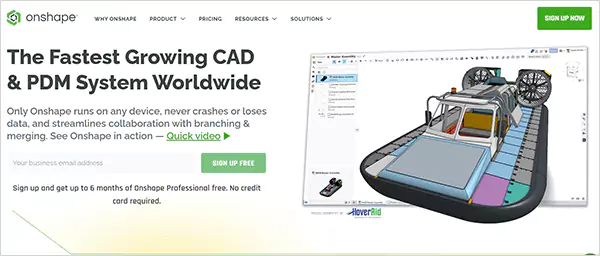
Onshape is a cloud-based 3D print software (or a 3D CAD and PDM platform), which offers seamless real-time collaboration across all devices. It becomes possible because Onshape is compatible with all operating systems.
Furthermore, this program works on the SaaS delivery model. So, the user doesn’t need to install the entire software on their personal system locally. Instead, they can start designing or working on their projects instantly after the quick registration right from the comfort of a browser tab on the internet.
| Features |
|
| Operating System |
|
| Plan Type | Annual subscription |
| Pricing |
|
| Free Trial | Free plan available for trying out |
| Potential Cons |
|
2. Autodesk Fusion
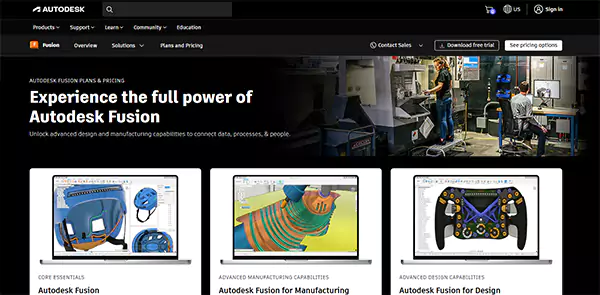
The next best software for 3D printing is Autodesk Fusion, a partially cloud-based solution that offers a highly integrated environment to its users. This is so because Fusion combines four key technologies in one place, namely CAD, CAM, CAE, and PCB. However, 3D designers cannot access and use this program to the full extent over the internet.
It is not a completely cloud-based solution and thus requires local installation on the user’s personal computer or laptop, resulting in a hybrid experience for 3D printing. But, to offset this potential con, the product exhibits excellent compatibility with Windows as well as macOS.
| Features |
|
| Operating System |
|
| Plan Type | Monthly or annual subscription |
| Pricing |
|
| Free Trial | 30-day free trial available |
| Potential Cons |
|
3. Siemens NX
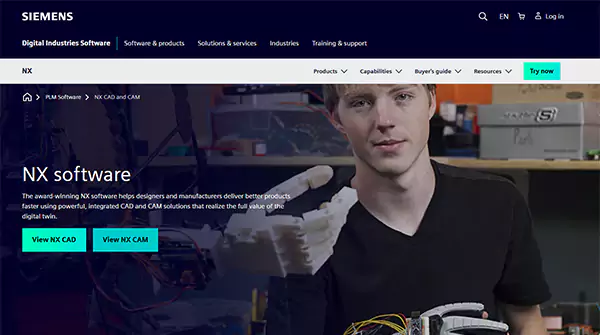
Siemens NX is the advanced 3D print design software solution that integrates CAD, CAM, and CAE features together for an accentuated 3D design experience. This is a comprehensive suite to handle the entire product development lifecycle, eliminating the need for users to register or subscribe to other platforms.
The software offers two plans to its users, namely NX CAD for product engineering and NX for manufacturing. Thus, if you are looking for a complete suite, from design to manufacturing, Siemens NX is the place to turn to.
| Features |
|
| Operating System |
|
| Plan Type | Monthly or annual subscription |
| Pricing |
|
| Free Trial | 30-day free trial available |
| Potential Cons |
|
4. Solid Edge
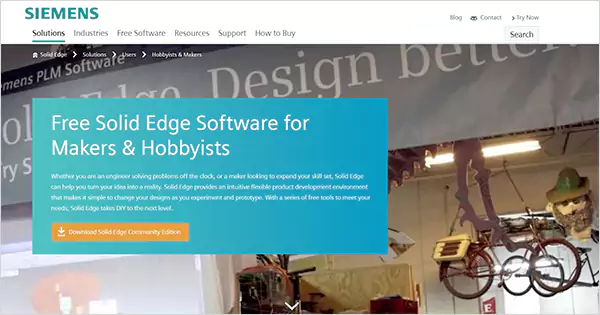
This is the best freeware 3D printer software if you are a maker or hobbyist and pursuing the art of 3D designing just for the sake of pleasure or learning. The easy-to-use infrastructure makes this software the most suitable tool for absolute beginners. Solid Edge is a complete suite of a variety of CAD, CAE, and CAM-oriented tools to allow newcomers to have the best learning experience.
Solid Edge is owned and distributed by Siemens Digital Industries Software, which is the company that also developed Siemens NX, as discussed in the preceding section. It is a type of CAD software that only operates on Windows, not on macOS-powered systems.
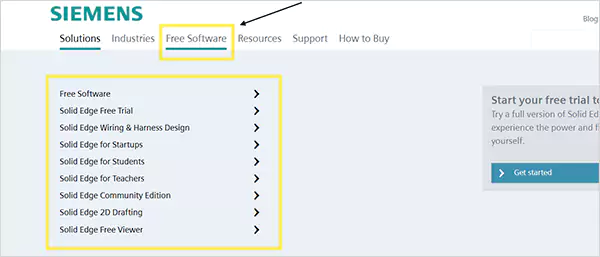
Under the free software category, Solid Edge offers a freemium, a free trial of the paid Solid Edge version free trial, Solid Edge wiring & harness design, Solid Edge for startups, etc., as highlighted in the screenshot below. It also offers the complete portfolio of CAD/CAE/CAM software.
| Features |
|
| Operating System | Windows (for on-premises software version) Latest browser (for cloud-based Solid Edge solution) |
| Plan Type | Monthly or annual subscription |
| Pricing | Starting at $2,676 per year |
| Free Trial | Solid Edge free version and free trial are both available |
| Potential Cons |
|
5. SOLIDWORKS
In the 5th position on our list comes SOLIDWORKS, one of the best 3D printing software programs in the professional category. This is a powerful 3D computer-aided design (CAD) and computer-aided engineering (CAE) software tool. And, as far as its revolutionary build is concerned, it was one of the first 3D CAD applications designed to operate on a desktop at the time of its launch.
Dassault Systèmes is the developer who brought this software infrastructure to life. Technically, the software’s ecosystem contains all major technologies, such as CAD, CAE, PDM, and PLM.
| Features |
|
| Operating System | Windows (10 and 11 both) macOS (only the latest versions or limited features) |
| Plan Type | Single-user license or device license (yearly subscription-based) |
| Pricing | Starting at $2,256 per year |
| Free Trial | 15-day money-back policy |
| Potential Cons |
|
6. Tinkercad
Tinkercad is the 6th 3D software for 3D printing on our list, with the biggest twist that it is totally free to use and best suited for educational needs. The software can be easily accessed over the internet without any special hardware requirements.
Key areas where it excels are 3D design, electronics, and coding. You might not find this software to be a complete, advanced 3D printing suite, but there stands no one in its comparison when considering features like high accessibility and the best beginner-friendly interface.
| Features |
|
| Operating System | Web-based (SaaS) application; supports all operating system types |
| Plan Type | Completely free |
| Pricing | Free |
| Free Trial | Free |
| Potential Cons |
|
7. Ultimaker Cura
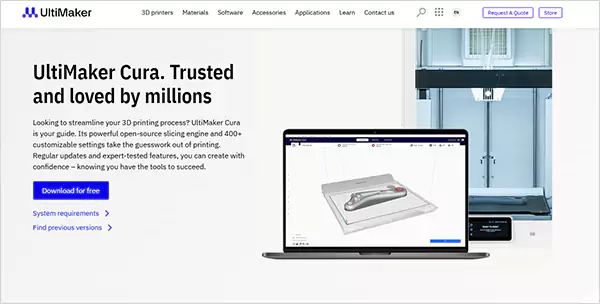
Ultimaker Cura is a capable, open-source, free software 3D printer program that offers an excellent virtual environment for seamless 3D printing slicing. This suite comes with a variety of specialized tools to assist users optimally in designing projects meticulously and manufacturing them rapidly.
The software boasts a powerful slicing engine that holds the capacity to translate any-format 3D models (STL, OBJ, X3D, 3MF, etc.) into G-code instructions, which is the language that a 3D printer understands, and only then becomes capable of transforming ideas into reality.
| Features |
|
| Operating System |
|
| Plan Type | Subscription-based access for upgrade plans |
| Pricing | Starting at $2,999 per year |
| Free Trial | Free version available |
| Potential Cons |
|
8. Lychee Slicer
Editing software 3D print Lychee Slicer is a versatile program that shows 100% compatibility with all major operating systems. Its user-friendly interface allows users to have the optimal product engineering and manufacturing experience. There is no learning curve as well, due to a highly intuitive layout and easy-to-understand features.
The software offers three plans: Lite, Plus, and Library. Talking about it, the Lite is for beginners or new users who want to try the software before subscribing to an upgraded version.
| Features |
|
| Operating System |
|
| Plan Type | Monthly or annual subscription |
| Pricing | Starting at approximately $10 |
| Free Trial | 30-day free trial available |
| Potential Cons |
|
9. AstroPrint
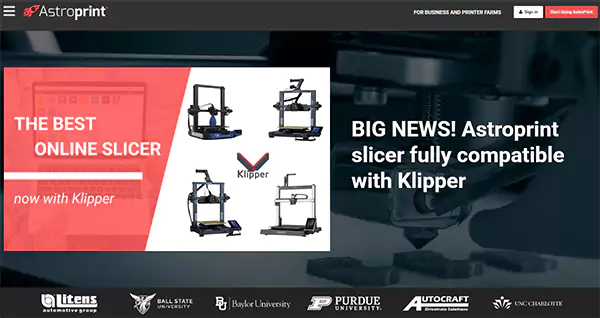
Next, there is AstroPrint, which is also a 3D printing program like 3D printing software Adventure 3 Pro. It is a cloud-based 3D printer management platform, which means a user can access it over the internet seamlessly with a stable internet connection.
Not just on desktop, but the software is also available in the form of a mobile application that operates on both Android and iOS, taking the accessibility even further. The app can be downloaded from the App Store or the Google Play Store.
| Features |
|
| Operating System |
|
| Plan Type | Monthly or annual subscription |
| Pricing | Starting at $12 for a starter plan, above the basic free version |
| Free Trial | Free basic plan available |
| Potential Cons |
|
10. MeshMixer
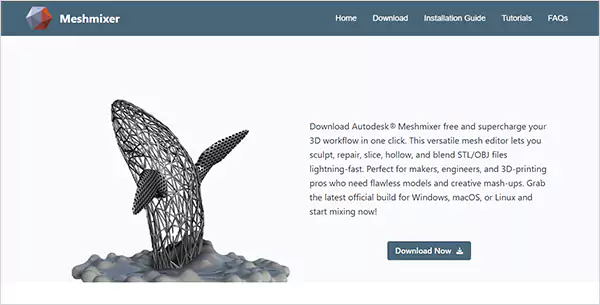
With the help of this 3D printing creation software—MeshMixer, you can create, edit, and handle your 3D model-based projects, products, or ideas with ease. This printer program offers a variety of tools and features to manipulate 3D meshes, along with comprehensive printing options for perfect rendering during the final printing or manufacturing process.
It is also among the most beginner-friendly and easy-to-use 3D printing programs. However, that doesn’t mean that its capabilities are just limited to the new designers, as it also serves seasoned 3D modeling enthusiasts or professionals alike.
| Features |
|
| Operating System |
|
| Plan Type | Completely free |
| Pricing | Free |
| Free Trial | Free |
| Potential Cons |
|
The Quick Comparison Table: Which 3D Printing Software is Best for me?
If you are still confused as to what software to use for 3D printing, the following comparative analysis might offer some help, allowing you to find out which 3D printing program suits your needs best.
| Differences ➡️ Software ⬇️ | Ease of Use/Beginner Friendly | Precision/Control | File Compatibility (STL, STEP, and OBJ) | Pre-Printing Preview | Cloud Collaboration |
| 1. Onshape | Slightly complex | High | Yes | Yes | Yes |
| 2. Autodesk Fusion | Slightly complex | High | Yes | Yes | Yes |
| 3. Seimens NX | No | High | Yes | Yes | Yes |
| 4. Solid Edge | No | High | Yes | Yes | Yes |
| 5. SOLIDWORKS | No | High | Yes | Yes | Yes |
| 6. Tinkercad | Yes | Low | Yes | No | Yes |
| 7. Ultimaker Cura | Yes | Moderate | Yes | Yes | Yes |
| 8. Lychee Slicer | Yes | Moderate | Yes | Yes | Yes |
| 9. AstroPrint | Yes | Low | Yes | Yes | Yes |
| 10. MeshMixer | Yes | Moderate | Yes | No | No |
Also Read: The Rule of 40 in SaaS: Meaning, Benefits, Limitations, and How It Helps Investors and Founders
What Makes a 3D Printing Software System the Best?
What makes a program the best software for 3d printing is a genuine concern that requires a careful analysis. In general, the availability or combination of the following qualities makes a system the most favorable:
- Beginner-friendly
- Comprehensiveness (including all features)
- Integrated workflow
- Accurate slicing & preparation
- Compatibility
- Smart features
- Automation
- Trial Period
- No Lock-in (or Import-Export Ease)
- Instant Support
- Affordability
Consider the elaboration below.
- Beginner-friendly: The software must have an intuitive interface along with enough support material so that a newcomer can easily find their way around the key features/functionalities. Users don’t have to face a steep learning curve with 3d Printer software for beginners.
- Comprehensiveness or All-inclusiveness: Next, for a conducive environment, the software must offer all key functionalities or capabilities in one place or interface, right from design/engineering to manufacturing. So, the user doesn’t have to subscribe to any other platform.
- Integrated Workflow: Handling or completing a 3D modeling project is a multistaged process. Thus, without a unified environment, it would be difficult for the creator to keep track of the process and switch between interfaces effortlessly.
- Accurate Slicing & Preparation: Many 3D printing software programs don’t convert 3D models into accurate instructions. That even hinders the full capability of a high-end, expensive printer, because the accuracy of the final product solely relies on the well-crafted G-code file, which is the work of good software.
- Compatibility: The software must be compatible with respect to two things, namely, file formats and operating systems. Make sure that the software you pick works well with the most common file types and all operating systems, in case the solution isn’t completely cloud-based.
- Smart Features: The software must be equipped with the latest features in line with the recent technological trends to keep you up-to-date in your professional life as a 3D project designer.
- Automation: Ensure you have the power of automation to be able to eliminate the burden of repeated tasks wherever possible, to achieve more in less time. High-end automation will even ensure intuitive suggestions to speed up your next move during deep work sessions.
- Trial Period: If the program doesn’t offer a free version for trying out its features, make sure there is a free trial available. Don’t skip it if provided, no matter for whatever time, as it will help you analyze the worth of the system in general as compared to your goals.
- No Lock-in (or Import-Export Ease): Programs that don’t impose lock-in situations are the best, as you can switch to other platforms at any time.
- Instant Support: 24/7 support is crucial. You can access expert guidance or sort out your queries whenever you want to or have time.
- Affordability: Finally, no matter how good a piece of software is, if it is out of the budget of most buyers, it is as useless as a low-quality software program.
Also Read: Top 25 Revolutionary Project Management Software Tools That Actually Work
Conclusion
So, there might be numerous excellent 3D printing software systems out there. But, none of them will be of any use if you cannot figure out: Which one is the best for me? The key to that is knowing your needs and wants in advance. For example, if you are a beginner, and you end up subscribing to something as complex as Autodesk Fusion, you might have to spend extra on tutorials and still not be able to learn fast or even enjoy the process. Thus, having your needs clear in mind is the crucial point—the right way to go!
FAQs
Q: What is 3D printing in healthcare?
Q: What software do I need for 3D printing for beginners?
Ans: You can use Tinkercad, Ultimaker Cura, Lychee Slicer, AstroPrint, and MeshMixer, as these are highly beginner-friendly software programs.
Q: Is 3D printing software hard to learn?
Ans: It depends on your skill level and the complexity of the software. If you are an absolute beginner, choose something as simple as Tinkercad or AstroPrint, just to start with. And, later, as your skills grow, you can switch to other professional and slightly complex environments, such as Onshape or Autodesk Fusion.